
《果然新鲜》电商项目(14)- Apollo管理application.yml
该项目是采用目前比较流行的SpringBoot/SpringCloud构建微服务电商项目,项目叫 《果然新鲜》,实现一套串联的微服务电商项目,能完全掌握该知识,可以在一线城市拿到月薪25+k薪资。
文章目录
本文继续讲解分布式基础设施环境的搭建,主要讲解Apollo分布式配置中心,以及如何把微服务的配置文件application.yml全部托管到Apollo。
1. Apollo管理application.yml
1.1 Apollo创建项目
step1.登录Apollo,创建项目(这里的项目其实就是每个部门管理的微服务),以微信微服务为例子: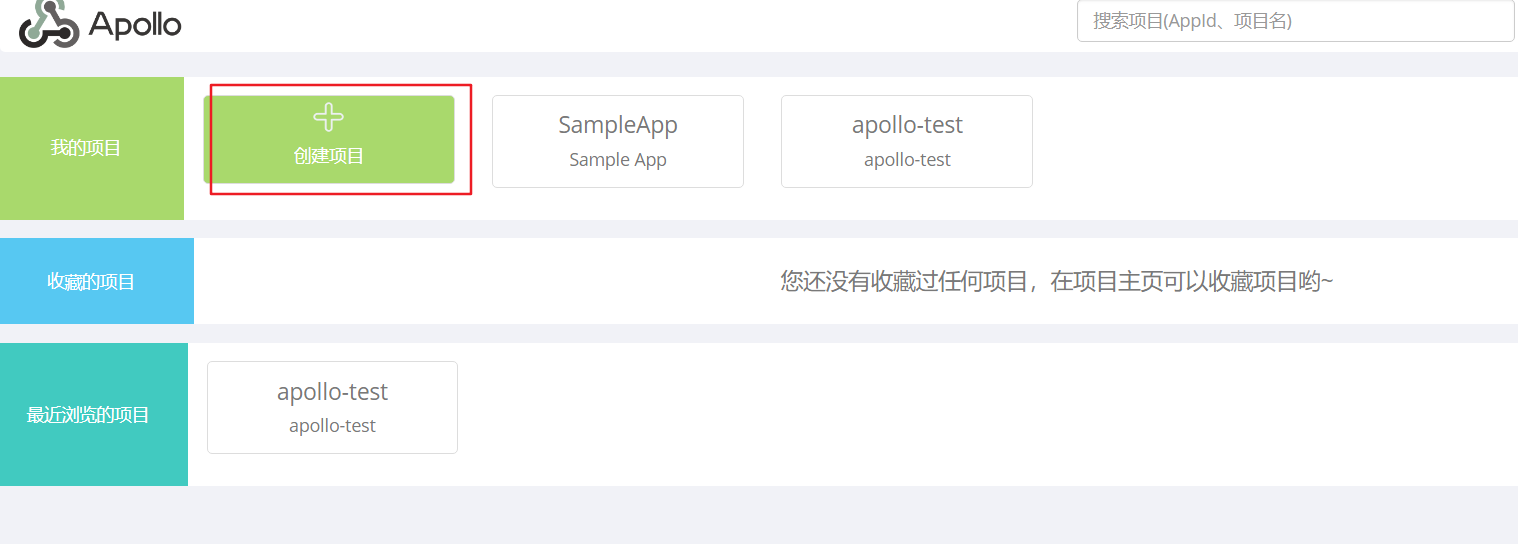
step2.输入部门的id、微服务名称、负责人等信息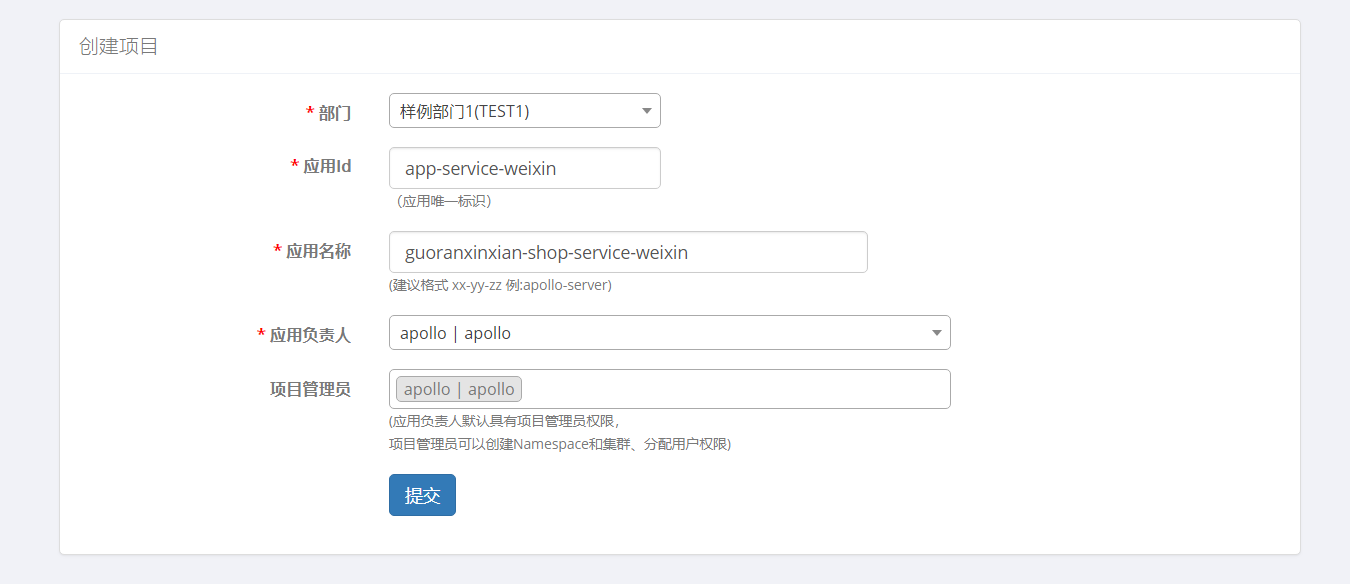
step3.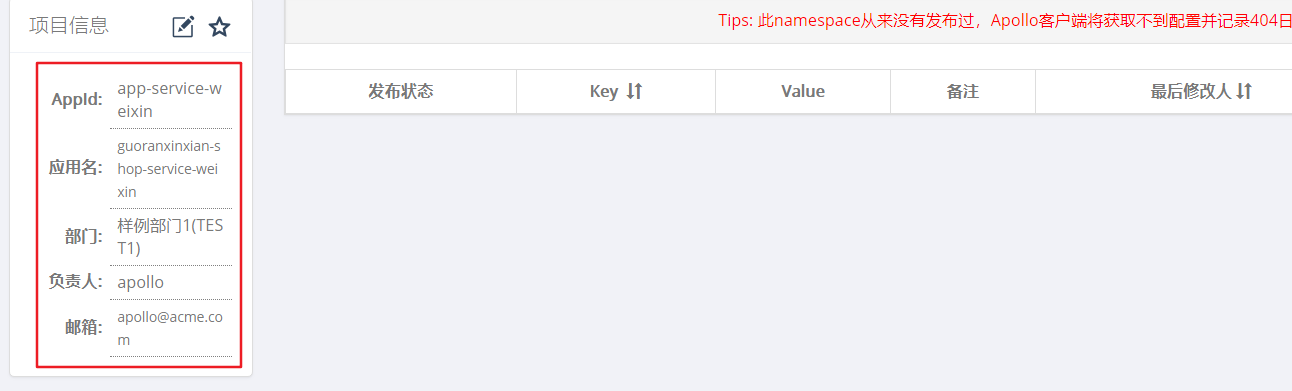
1.2 application.yml托管到Apollo
step1.首先转换微信服务项目(guoranxinxian-shop-service-weixin)的applicatoin.yml为apollo识别的格式(properties),转换网站:http://www.toyaml.com/index.html
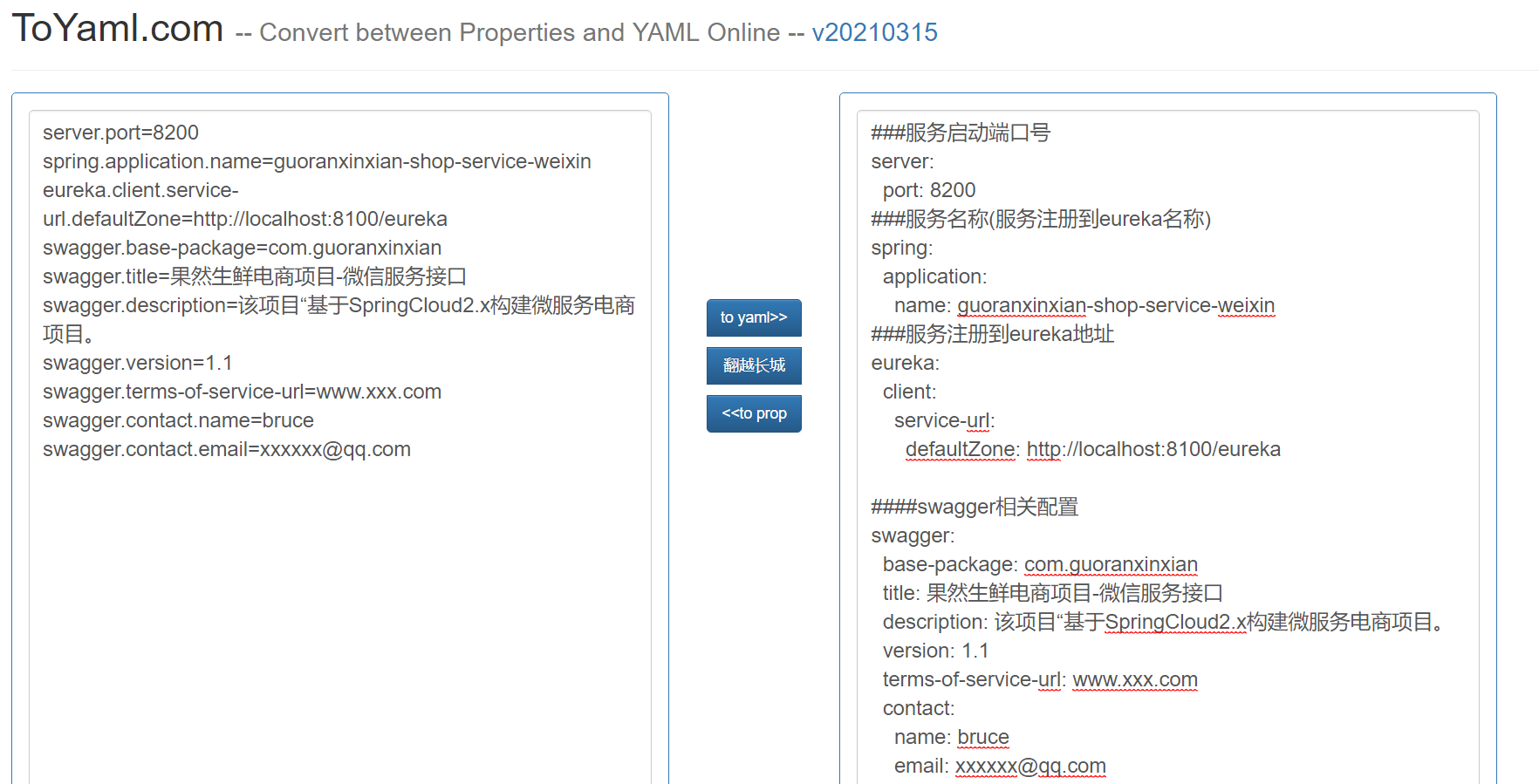
step2.打开Apollo文本模式: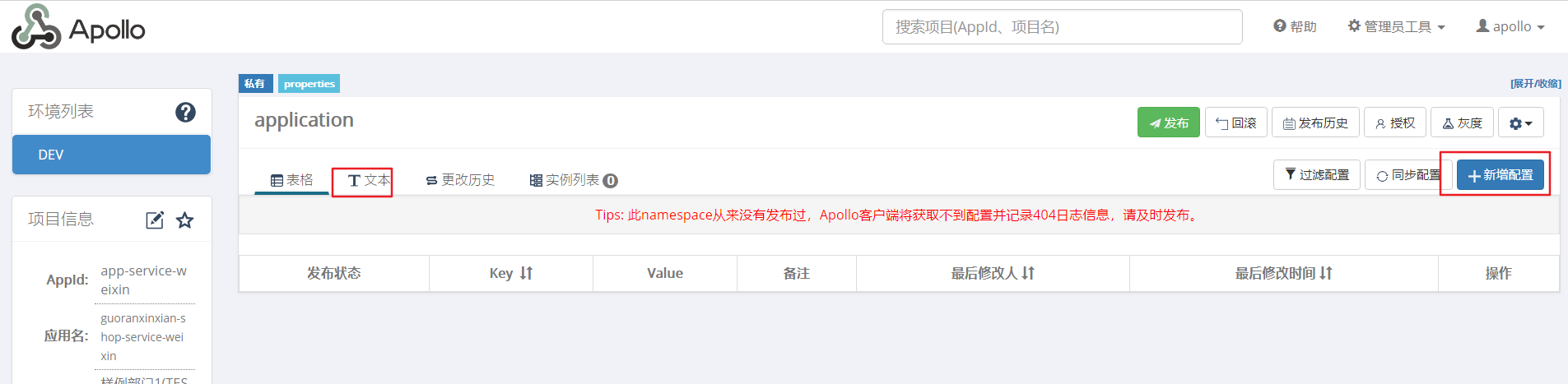
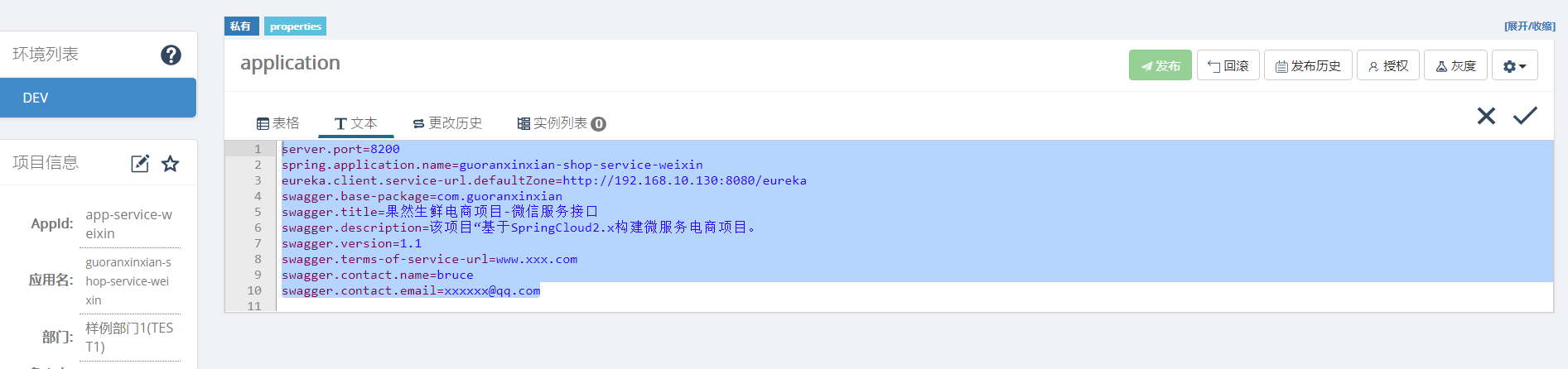
step3.复制转换后的内容到Apollo中的app-service-weixin项目,复制内容如下(为了方便测试,我把Eureka注册中心改为Apollo的注册中心地址了eureka.client.service-url.defaultZone=http://192.168.10.130:8080/eureka):
server.port=8200
spring.application.name=guoranxinxian-shop-service-weixin
eureka.client.service-url.defaultZone=http://192.168.10.130:8080/eureka
swagger.base-package=com.guoranxinxian
swagger.title=果然生鲜电商项目-微信服务接口
swagger.description=该项目“基于SpringCloud2.x构建微服务电商项目。
swagger.version=1.1
swagger.terms-of-service-url=www.xxx.com
swagger.contact.name=bruce
swagger.contact.email=xxxxxx@qq.com
step5. 点击发布,可以看到下面的状态都变为已发布了: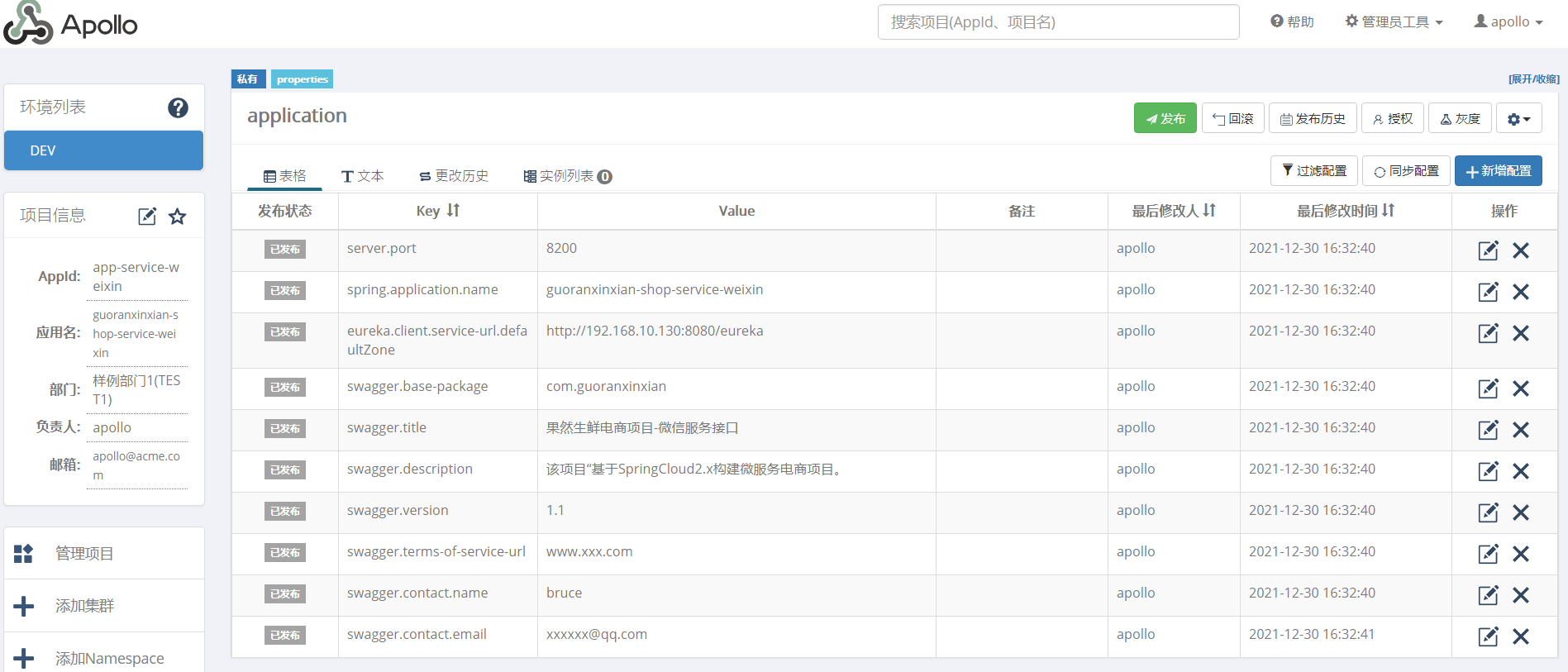
1.3 项目集成Apollo
step1.删除微信微服务的application.yml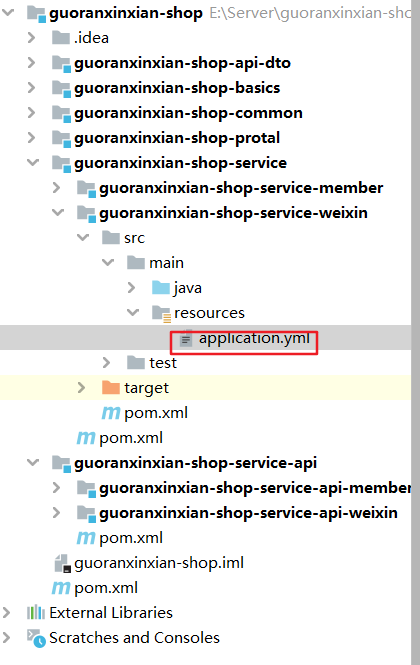
step2.新增maven依赖(增加到服务模块的pom.xml文件guoranxinxian-shop-service):
<dependency>
     <groupId>com.ctrip.framework.apollo</groupId>
     <artifactId>apollo-client</artifactId>
     <version>1.0.0</version>
 </dependency>

 <dependency>
     <groupId>com.ctrip.framework.apollo</groupId>
     <artifactId>apollo-core</artifactId>
     <version>1.0.0</version>
 </dependency>
step3.在resources文件夹目录下创建 application.properties文件,并填写apollo相关的配置信息:
app.id=app-service-weixin
apollo.meta=http://192.168.10.130:8080
step4.项目启动开启阿波罗配置文件**@EnableApolloConfig**:
@SpringBootApplication
@EnableEurekaClient
@EnableSwagger2Doc
@EnableApolloConfig
public class AppWeiXin {

    public static void main(String[] args) {
        SpringApplication.run(AppWeiXin.class, args);
    }
}
step5.启动项目,发现没有报错,控制台的内容与配置的信息apollo配置中心的内容都一致: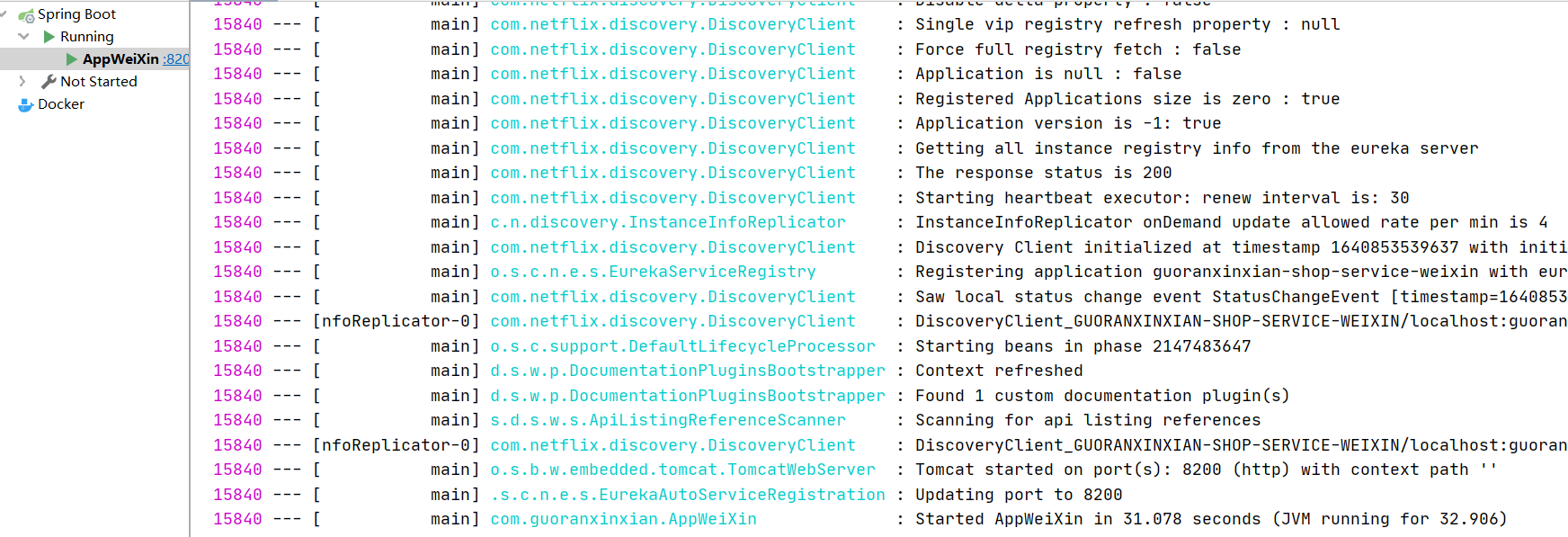
2.其它
1.为什么要使用分布式配置中心?
答:统一管理微服务配置文件,可以实现动态化刷新配置文件。
2.为什么我们要使用阿波罗不使用SpringCloudConfig?
答:阿波罗配置文件存放在数据库中,SpringCloudConfig存放在Git里面。
3.如果关闭了Apollo配置中心,还能读取到内容吗?
答:还是可以读取到的,内容会缓存到项目本地项目文/classes/config-cache/app-service-weixin+default+application.properties。
4.如果Apollo配置了服务器访问端口,不重启,能生效吗?
答:不可以,因为只会Apollo发布了配置信息之后,微服务会监听到配置信息的改变,刷新到JVM。但是项目在启动的时候就从配置文件获取到了端口,而非JVM,所以即使变化了,也不能在不重启的情况下直接改变端口号。
3.总结

电商企业物流数字化转型必备!快递鸟 API 接口,72 小时快速完成物流系统集成。全流程实战1V1指导,营造开放的API技术生态圈。
更多推荐
 0
0 0
0- 0


 已为社区贡献10条内容

所有评论(0)