
HTML+CSS+JavaScript:实现京东官网固定导航栏
在京东官网首页,只要页面滚动到京东秒杀倒计时的位置,顶部的导航栏就会自动出现且固定在窗口最上方,如下图我们将模仿京东官网的效果,做一个简易的固定导航栏,如下图。
·
一、需求
在京东官网首页,只要页面滚动到京东秒杀倒计时的位置,顶部的导航栏就会自动出现且固定在窗口最上方,如下图
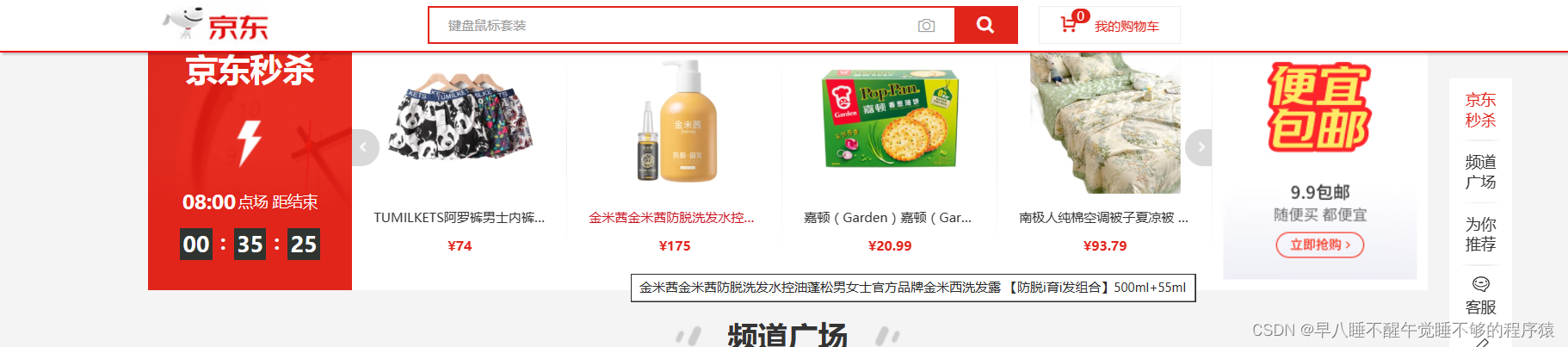
我们将模仿京东官网的效果,做一个简易的固定导航栏,如下图
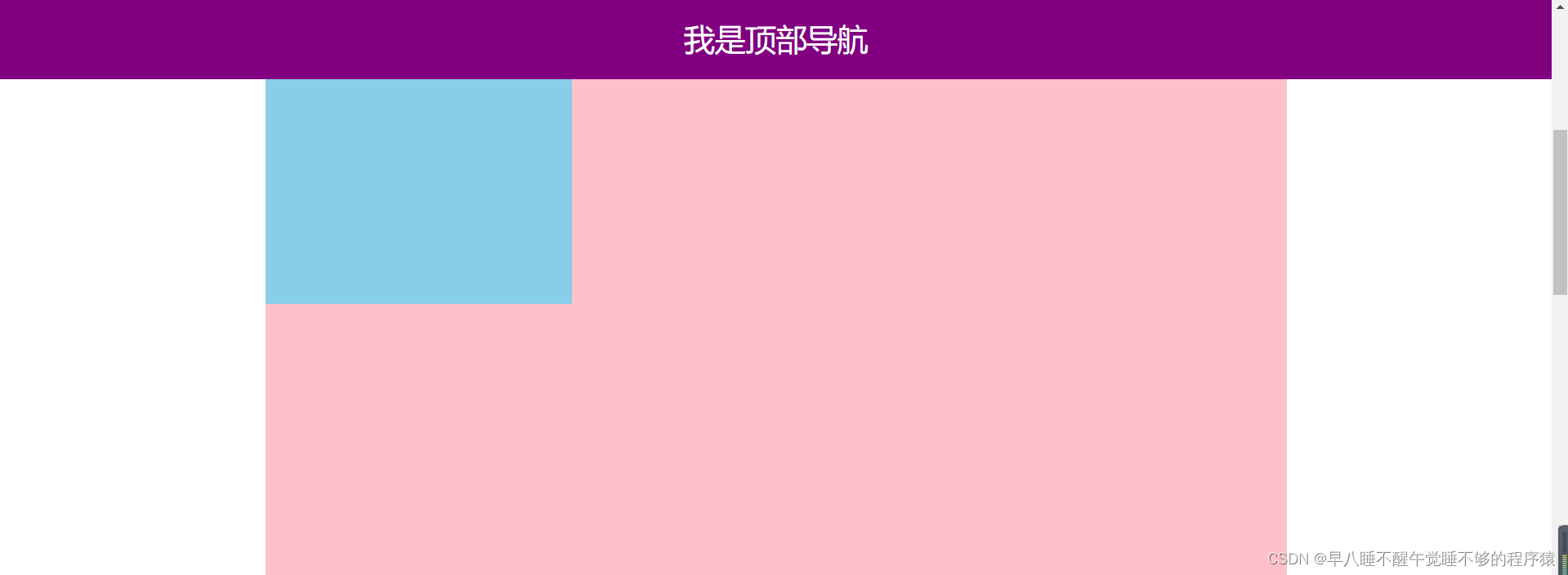
二、代码素材
以下是缺失JS部分的代码,感兴趣的小伙伴可以自己先试试
<!DOCTYPE html>
<html lang="en">

<head>
    <meta charset="UTF-8">
    <meta http-equiv="X-UA-Compatible" content="IE=edge">
    <meta name="viewport" content="width=device-width, initial-scale=1.0">
    <title>Document</title>
    <style>
        * {
            margin: 0;
            padding: 0;
            box-sizing: border-box;
        }

        .content {
            overflow: hidden;
            width: 1000px;
            height: 3000px;
            background-color: pink;
            margin: 0 auto;
        }

        .backtop {
            display: none;
            width: 50px;
            left: 50%;
            margin: 0 0 0 505px;
            position: fixed;
            bottom: 60px;
            z-index: 100;
        }

        .backtop a {
            height: 50px;
            width: 50px;
            background: url(./images/bg2.png) 0 -600px no-repeat;
            opacity: 0.35;
            overflow: hidden;
            display: block;
            text-indent: -999em;
            cursor: pointer;
        }

        .header {
            position: fixed;
            top: 0;
            left: 0;
            width: 100%;
            height: 80px;
            background-color: purple;
            text-align: center;
            color: #fff;
            line-height: 80px;
            font-size: 30px;
            transition: all .3s;
        }

        .sk {
            width: 300px;
            height: 300px;
            background-color: skyblue;
            margin-top: 500px;
        }
    </style>
</head>

<body>
    <div class="header">我是顶部导航</div>
    <div class="content">
        <div class="sk">秒杀模块</div>
    </div>
    <div class="backtop">
        <img src="./images/close2.png" alt="">
        <a href="javascript:;"></a>
    </div>
    <script>

    </script>
</body>

</html>
三、算法思路
1、获取相关的元素->document.querySelector()
2、获取京东秒杀倒计时距离窗口顶部的距离->offsetTop
3、注册页面滚动事件,检测页面滚动距离->
window.addEventListener('scroll',()=>{ }) 、document.documentElement.scrollTop
4、如果页面滚动到倒计时的位置,修改顶部导航的CSS属性,使之显现。(配合CSS的样式transition: all .3s;可让导航栏在三面之内平滑地滑动显现出来)
四、完整代码
<!DOCTYPE html>
<html lang="en">

<head>
    <meta charset="UTF-8">
    <meta http-equiv="X-UA-Compatible" content="IE=edge">
    <meta name="viewport" content="width=device-width, initial-scale=1.0">
    <title>Document</title>
    <style>
        * {
            margin: 0;
            padding: 0;
            box-sizing: border-box;
        }

        .content {
            overflow: hidden;
            width: 1000px;
            height: 3000px;
            background-color: pink;
            margin: 0 auto;
        }

        .backtop {
            display: none;
            width: 50px;
            left: 50%;
            margin: 0 0 0 505px;
            position: fixed;
            bottom: 60px;
            z-index: 100;
        }

        .backtop a {
            height: 50px;
            width: 50px;
            background: url(./images/bg2.png) 0 -600px no-repeat;
            opacity: 0.35;
            overflow: hidden;
            display: block;
            text-indent: -999em;
            cursor: pointer;
        }

        .header {
            position: fixed;
            top: 0;
            left: 0;
            width: 100%;
            height: 80px;
            background-color: purple;
            text-align: center;
            color: #fff;
            line-height: 80px;
            font-size: 30px;
            transition: all .3s;
        }

        .sk {
            width: 300px;
            height: 300px;
            background-color: skyblue;
            margin-top: 500px;
        }
    </style>
</head>

<body>
    <div class="header">我是顶部导航</div>
    <div class="content">
        <div class="sk">秒杀模块</div>
    </div>
    <div class="backtop">
        <img src="./images/close2.png" alt="">
        <a href="javascript:;"></a>
    </div>
    <script>
        const header=document.querySelector('.header')
        const sk=document.querySelector('.sk')
        header.style.top='-80px'
        window.addEventListener('scroll',()=>{
            header.style.top=document.documentElement.scrollTop>=sk.offsetTop?'0px':'-80px'
        })
    </script>
</body>

</html>
电商企业物流数字化转型必备!快递鸟 API 接口,72 小时快速完成物流系统集成。全流程实战1V1指导,营造开放的API技术生态圈。
更多推荐
 0
0 0
0- 0


 已为社区贡献1条内容

所有评论(0)