
mac下安装cnpm淘宝镜像
npm ERR! code EACCESnpm ERR! syscall mkdirnpm ERR! path /usr/local/lib/node_modules/cnpmnpm ERR! errno -13npm ERR! Error: EACCES: permission denied, mkdir '/usr/local/lib/node_modules/cnpm'npm ERR![Er
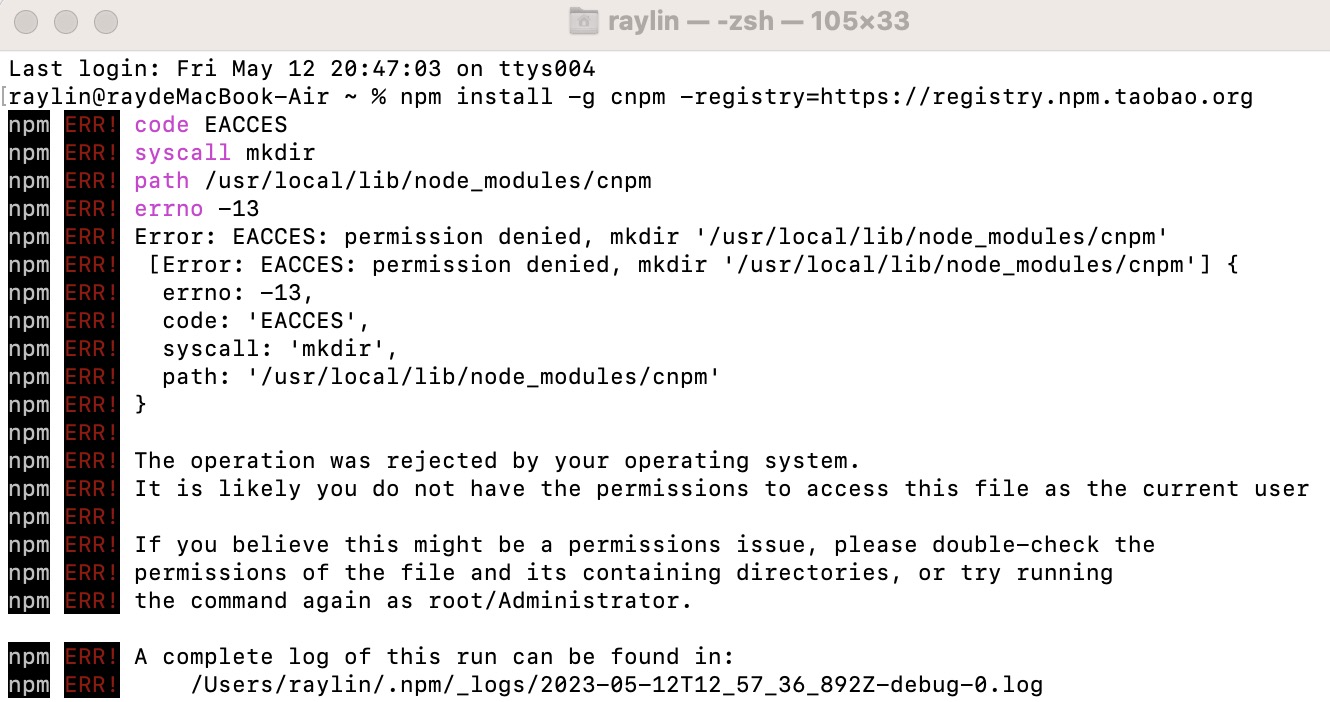
在mac安装cnpm时,输入npm install -g cnpm -registry=https://registry.npm.taobao.org
报错:
npm ERR! code EACCES
npm ERR! syscall mkdir
npm ERR! path /usr/local/lib/node_modules/cnpm
npm ERR! errno -13
npm ERR! Error: EACCES: permission denied, mkdir '/usr/local/lib/node_modules/cnpm'
npm ERR! [Error: EACCES: permission denied, mkdir '/usr/local/lib/node_modules/cnpm'] {
npm ERR! errno: -13,
npm ERR! code: 'EACCES',
npm ERR! syscall: 'mkdir',
npm ERR! path: '/usr/local/lib/node_modules/cnpm'
npm ERR! }
npm ERR!
npm ERR! The operation was rejected by your operating system.
npm ERR! It is likely you do not have the permissions to access this file as the current user
npm ERR!
npm ERR! If you believe this might be a permissions issue, please double-check the
npm ERR! permissions of the file and its containing directories, or try running
npm ERR! the command again as root/Administrator.
npm ERR! A complete log of this run can be found in:
npm ERR! /Users/raylin/.npm/_logs/2023-05-12T12_57_36_892Z-debug-0.log
解决办法:
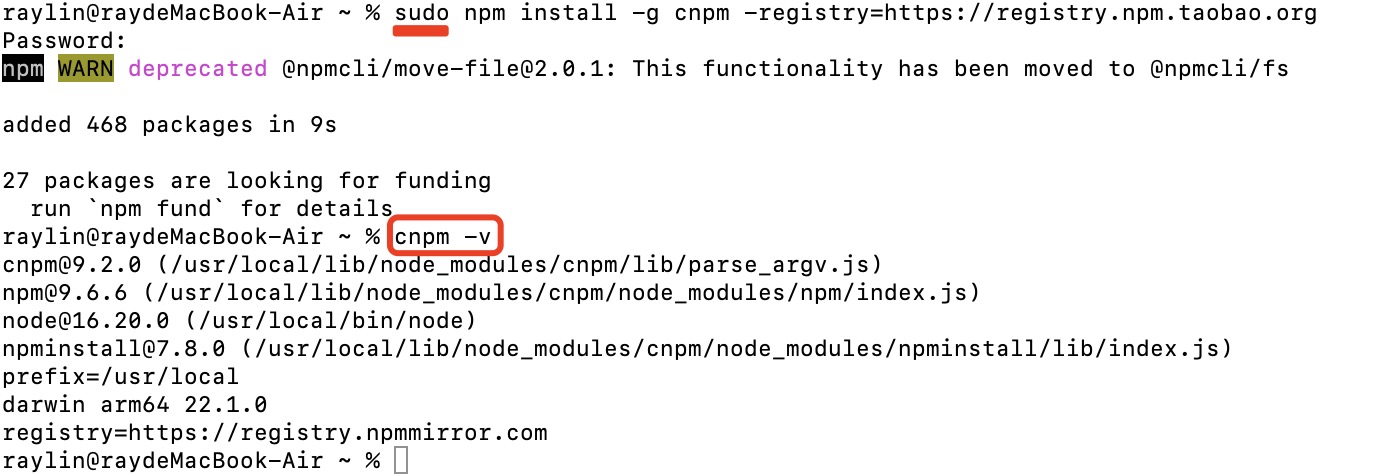
mac需要安装权限,命令前加上sudo即可:
sudo npm install -g cnpm --registry=https://registry.npm.taobao.org
cnpm -v
出现cnpm版本号,即成功安装

电商企业物流数字化转型必备!快递鸟 API 接口,72 小时快速完成物流系统集成。全流程实战1V1指导,营造开放的API技术生态圈。
更多推荐
 0
0 0
0- 0


 已为社区贡献1条内容

所有评论(0)