
全国快递物流查询API如何用Java进行调用?
·
一、引言
在电商和物流行业快速发展的今天,快递物流信息实时追踪功能已成为企业和用户不可或缺的需求。本文将详细介绍如何通过 Java 编程语言调用全国快递物流查询 API 接口,帮助开发者轻松集成快递查询能力。
二、如何用Java进行调用?
下面以探数API在阿里云的接口代码为例
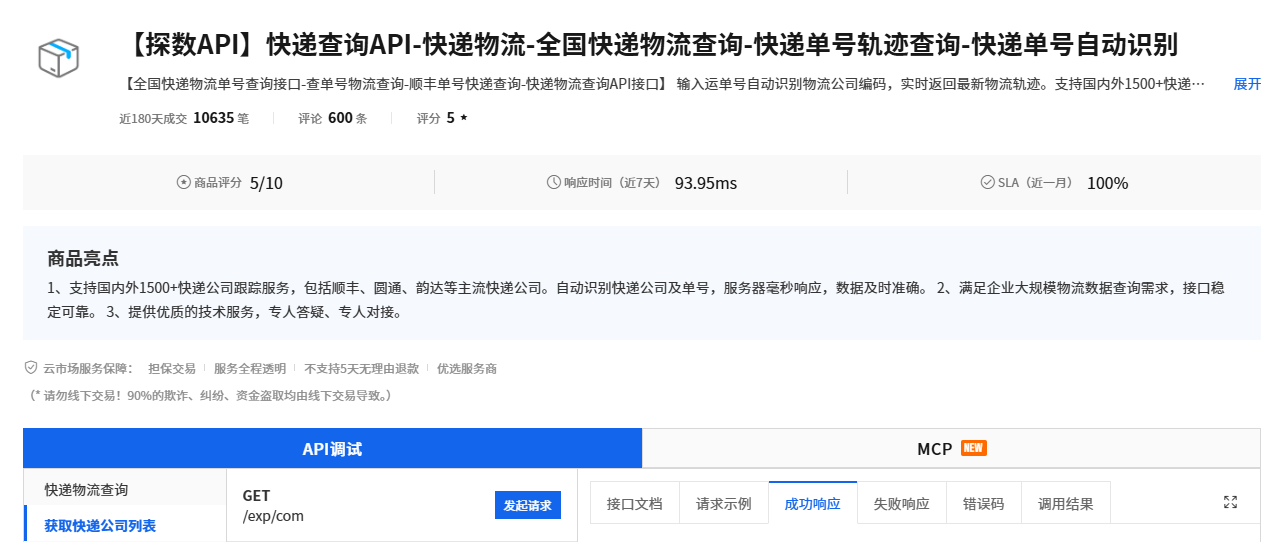
接口地址:https://market.aliyun.com/detail/cmapi00065859
	public static void main(String[] args) {
	    String host = "https://tsexpress.market.alicloudapi.com";
	    String path = "/exp/com";
	    String method = "GET";
	    String appcode = "你自己的AppCode";
	    Map<String, String> headers = new HashMap<String, String>();
	    //最后在header中的格式(中间是英文空格)为Authorization:APPCODE 83359fd73fe94948385f570e3c139105
	    headers.put("Authorization", "APPCODE " + appcode);
	    Map<String, String> querys = new HashMap<String, String>();


	    try {
	    	/**
	    	* 重要提示如下:
	    	* HttpUtils请从
	    	* https://github.com/aliyun/api-gateway-demo-sign-java/blob/master/src/main/java/com/aliyun/api/gateway/demo/util/HttpUtils.java
	    	* 下载
	    	*
	    	* 相应的依赖请参照
	    	* https://github.com/aliyun/api-gateway-demo-sign-java/blob/master/pom.xml
	    	*/
	    	HttpResponse response = HttpUtils.doGet(host, path, method, headers, querys);
	    	System.out.println(response.toString());
	    	//获取response的body
	    	//System.out.println(EntityUtils.toString(response.getEntity()));
	    } catch (Exception e) {
	    	e.printStackTrace();
	    }
	}

电商企业物流数字化转型必备!快递鸟 API 接口,72 小时快速完成物流系统集成。全流程实战1V1指导,营造开放的API技术生态圈。
更多推荐
 6
6 0
0- 0


 已为社区贡献5条内容

所有评论(0)