
基于javaweb和mysql的ssm+maven快递物流管理系统(JavaWeb MySQL JSP Bootstrap Servlet SSM SpringBoot)
·
基于javaweb和mysql的ssm+maven快递物流管理系统(JavaWeb MySQL JSP Bootstrap Servlet SSM SpringBoot)
私信源码获取及调试交流
私信源码获取及调试交流
运行环境
Java≥8、MySQL≥5.7、Tomcat≥8
开发工具
eclipse/idea/myeclipse/sts等均可配置运行
技术框架
JavaBean MVC JSP SSM(Spring SpringMVC MyBatis) Maven MySQL CSS JavaScript Bootstrap.
适用
课程设计,大作业,毕业设计,项目练习,学习演示等
功能说明
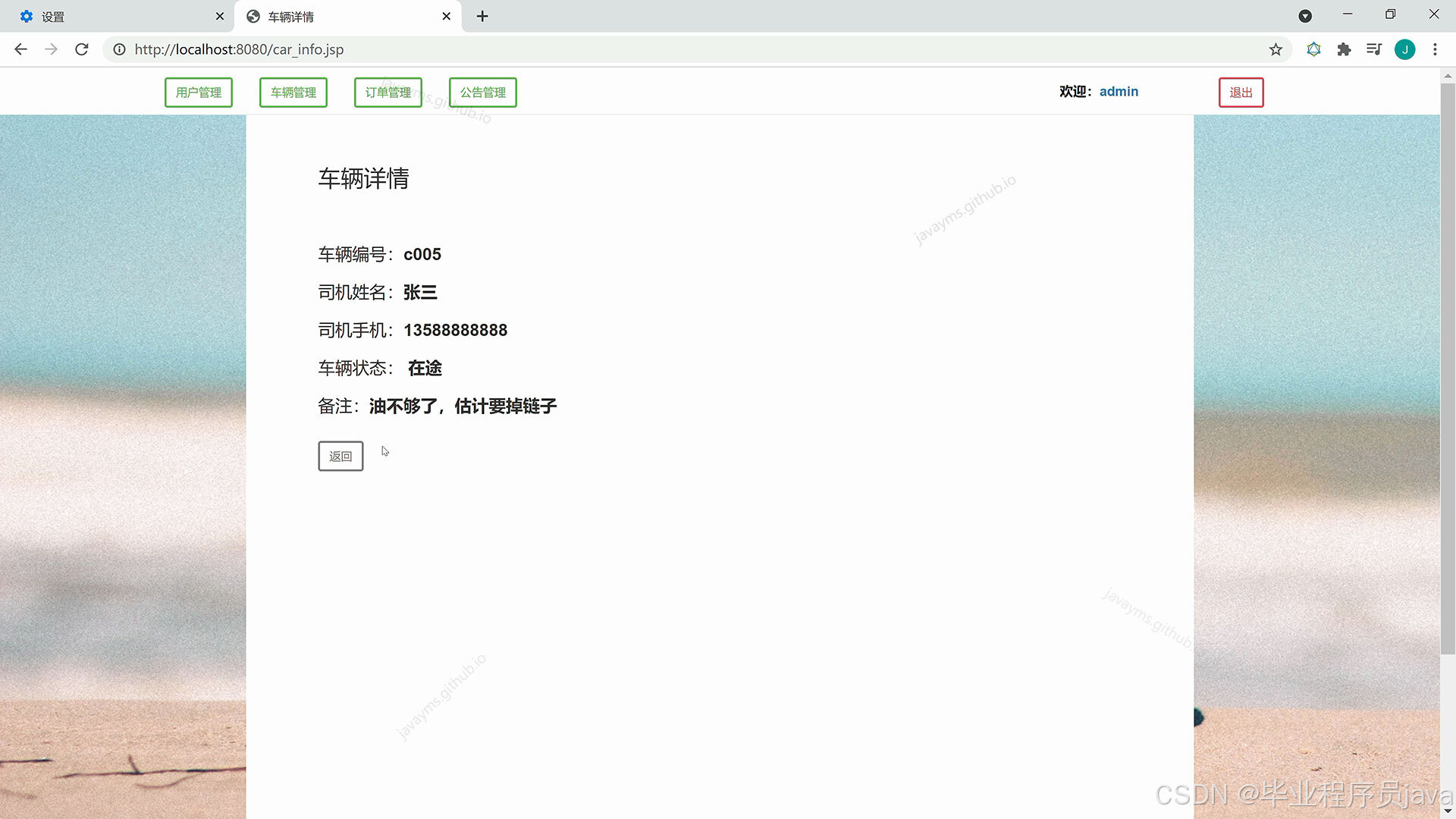
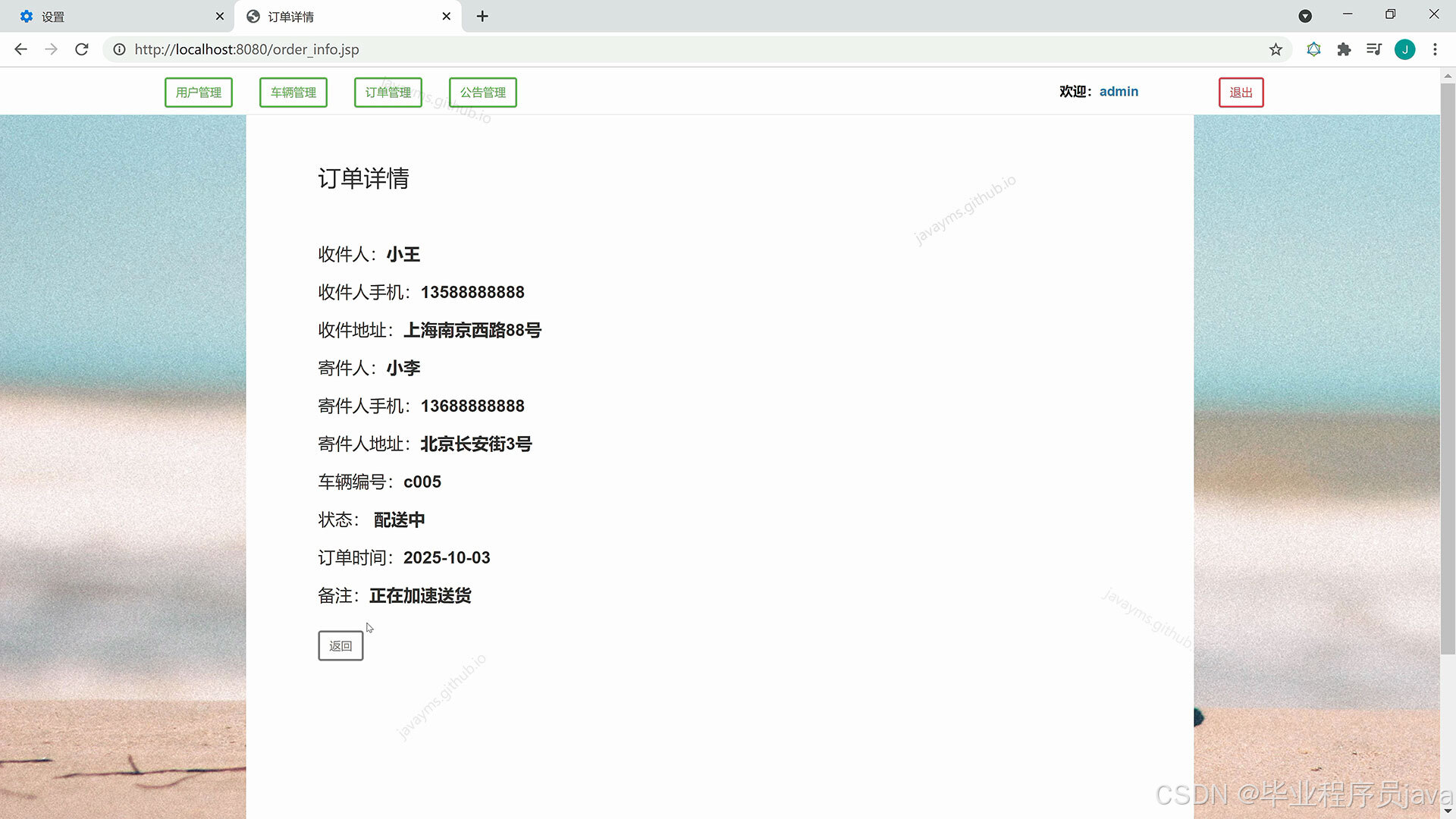
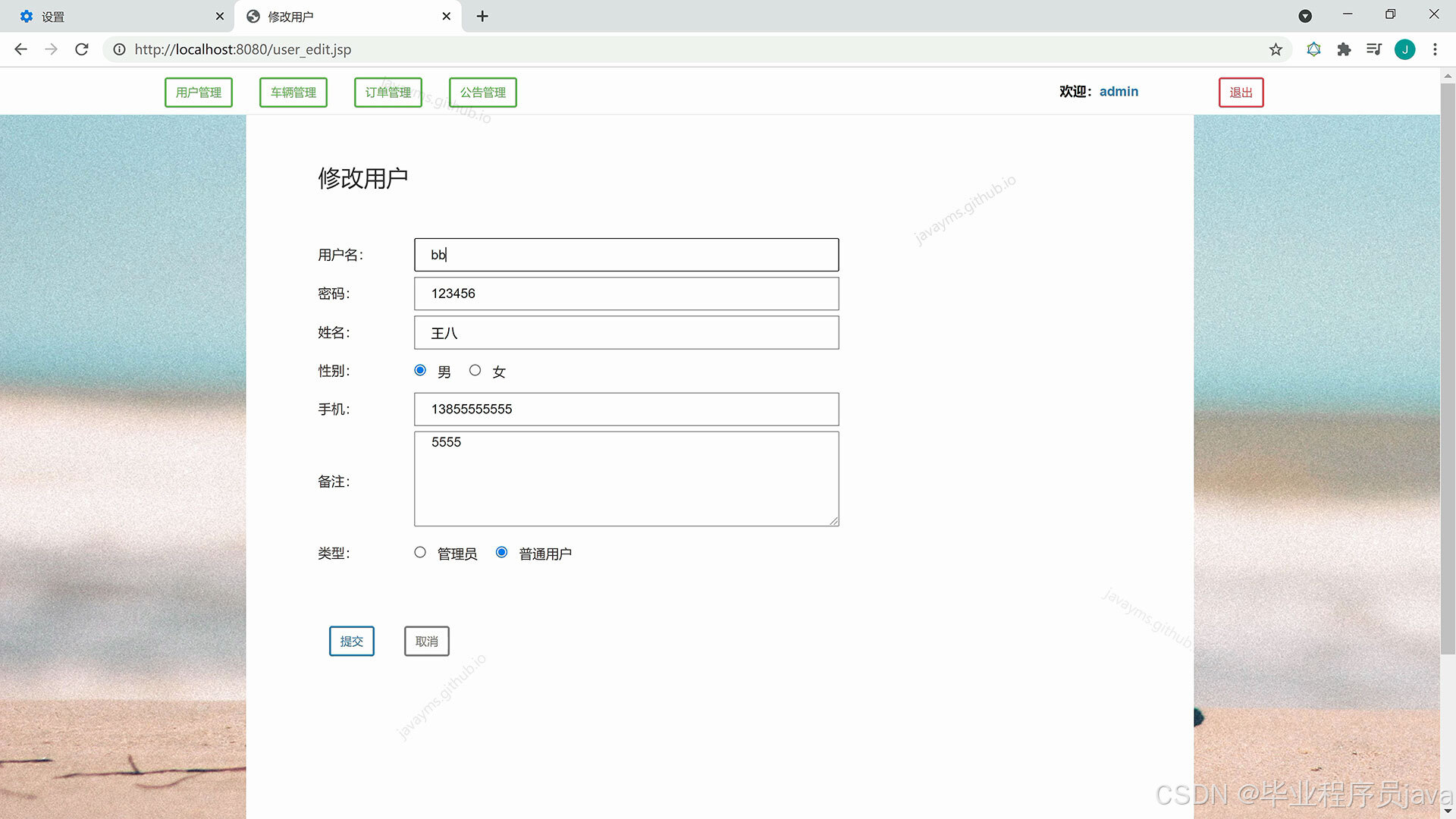
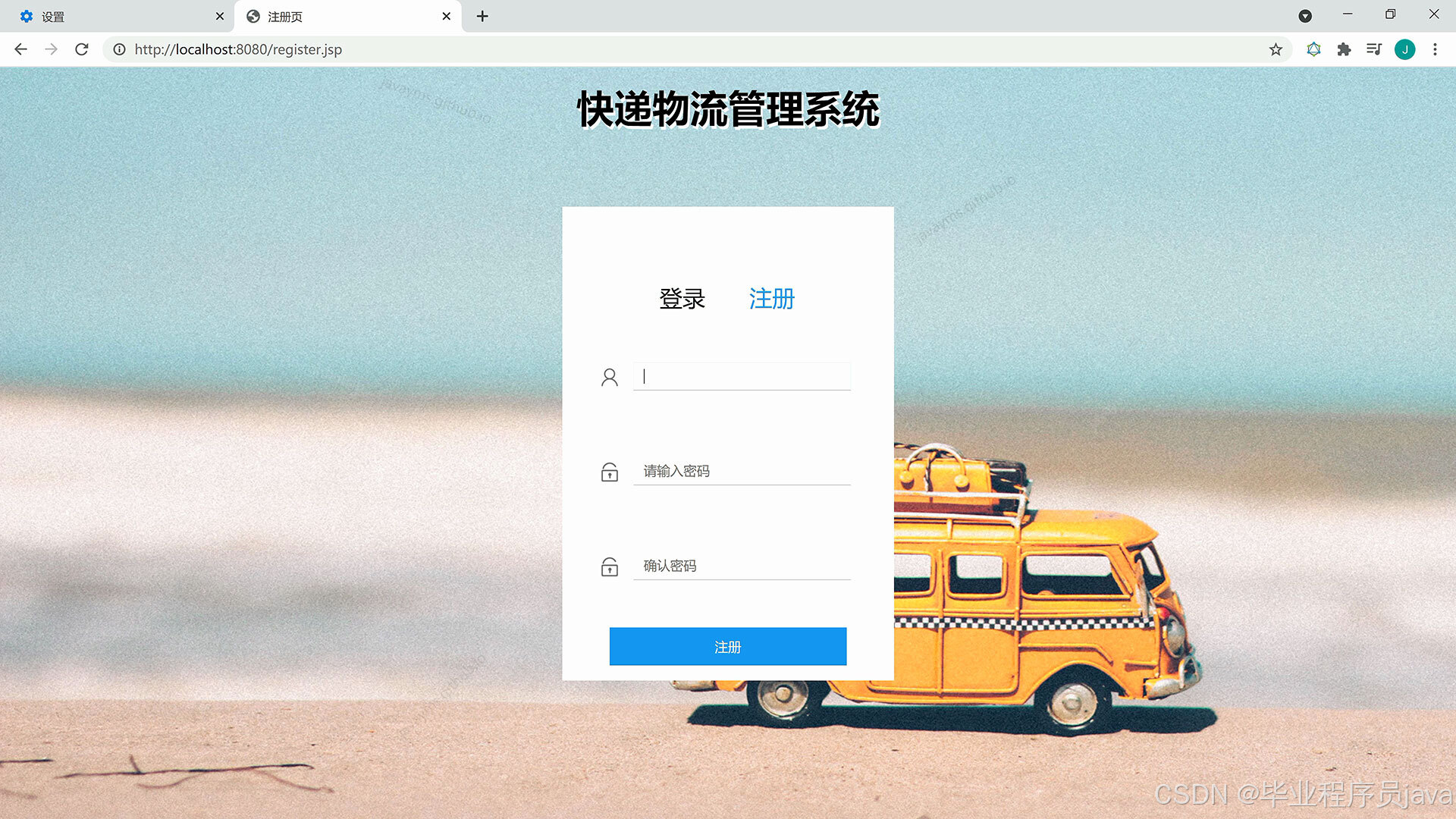
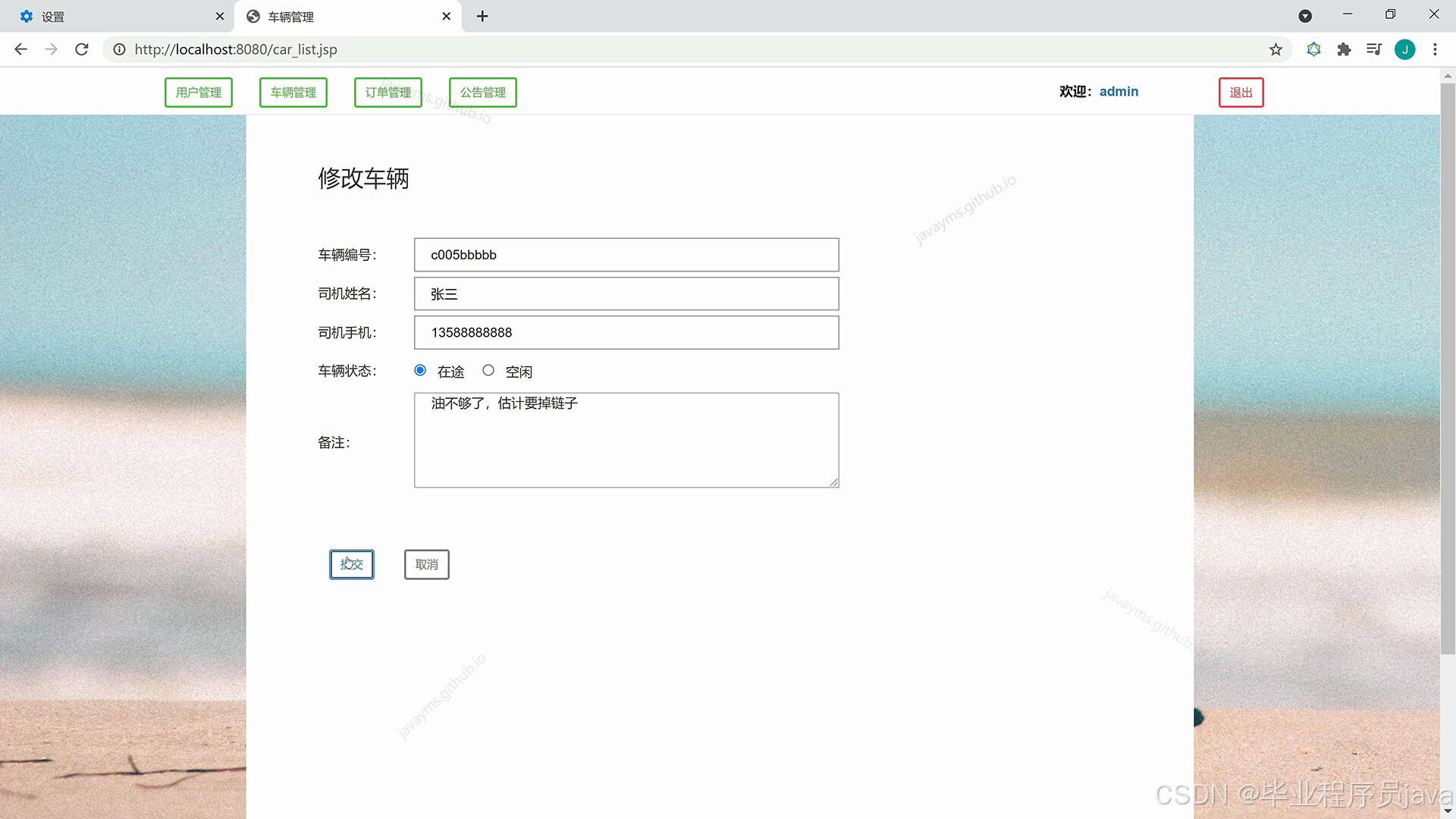
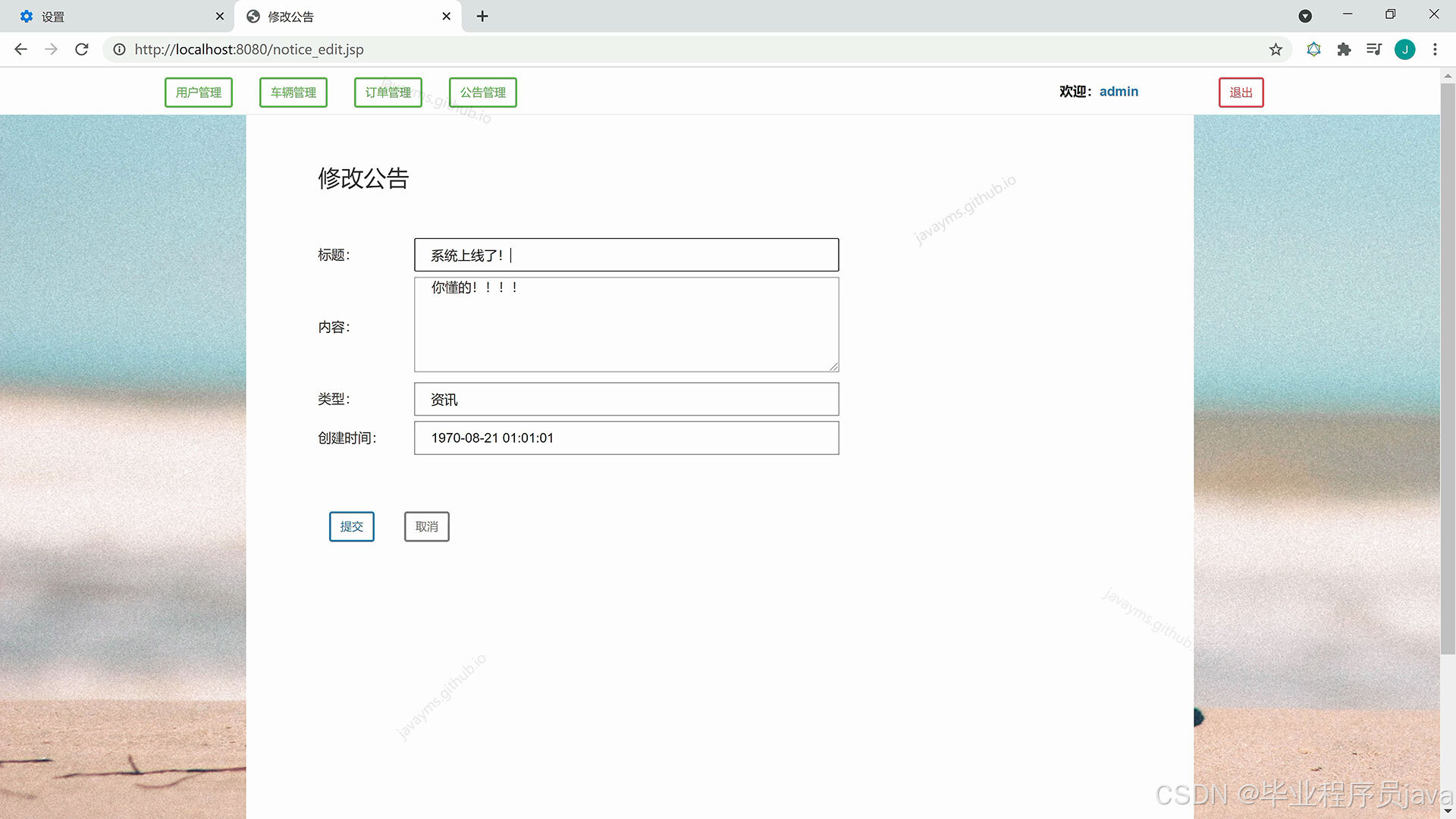
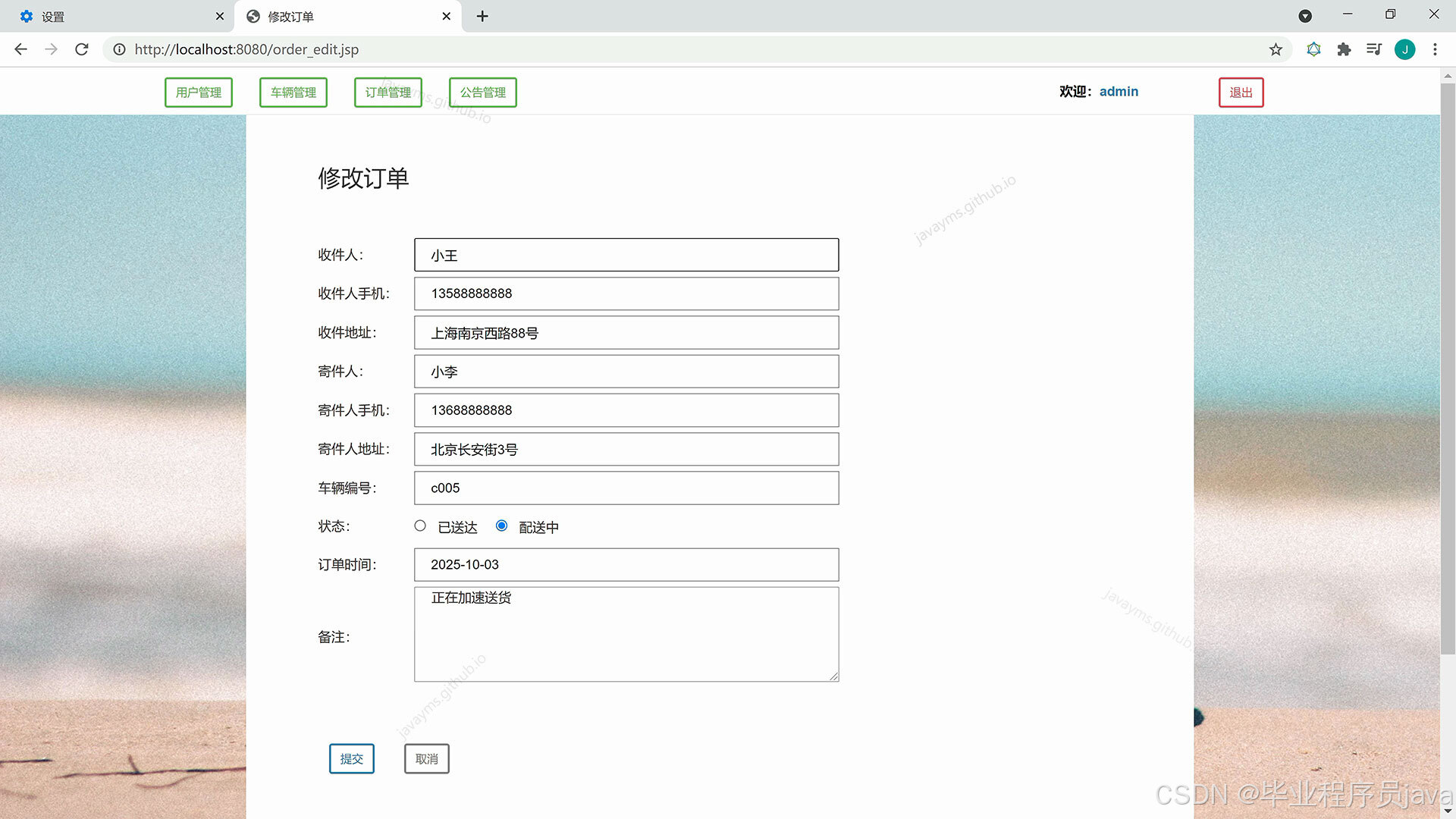
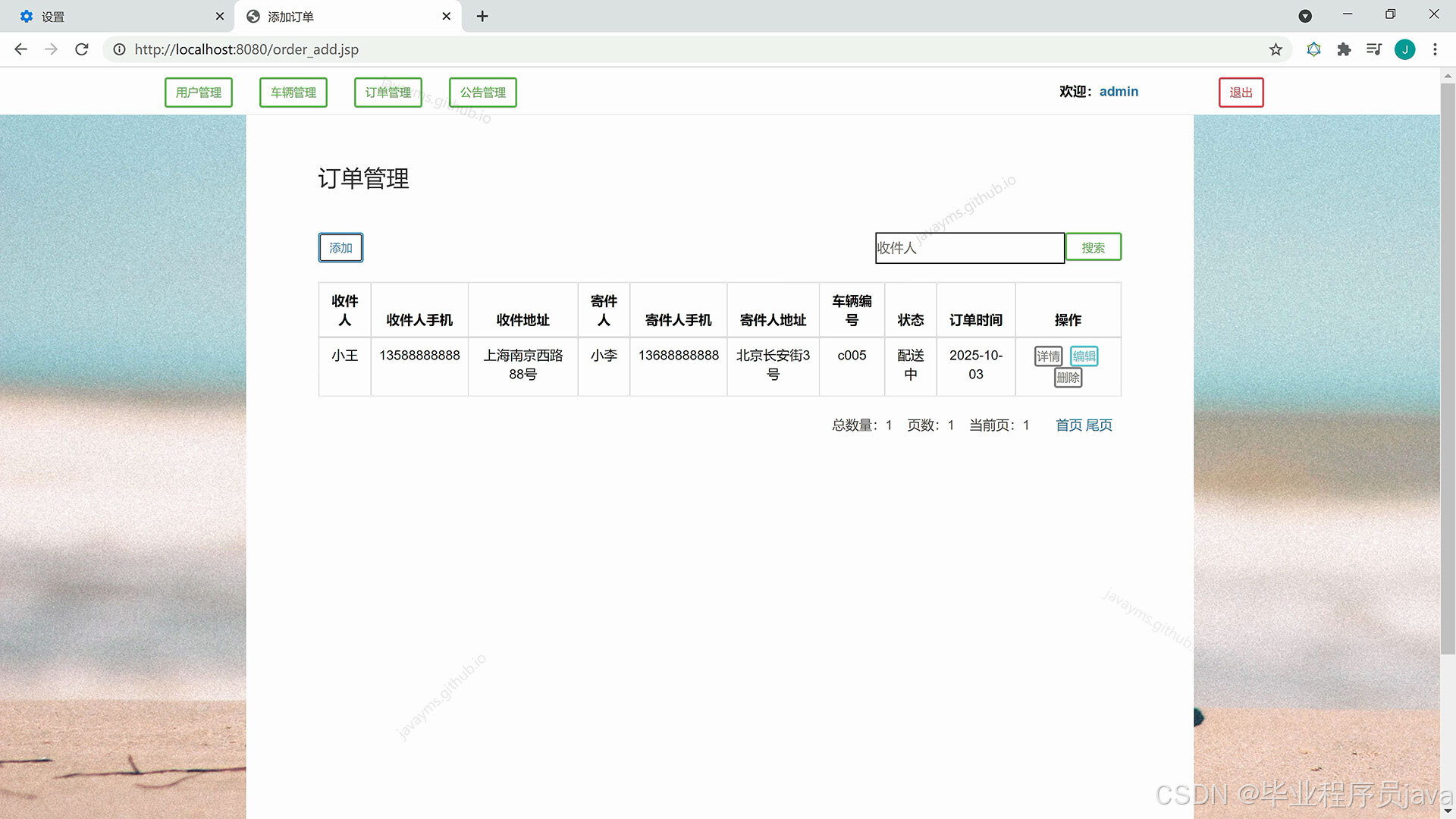
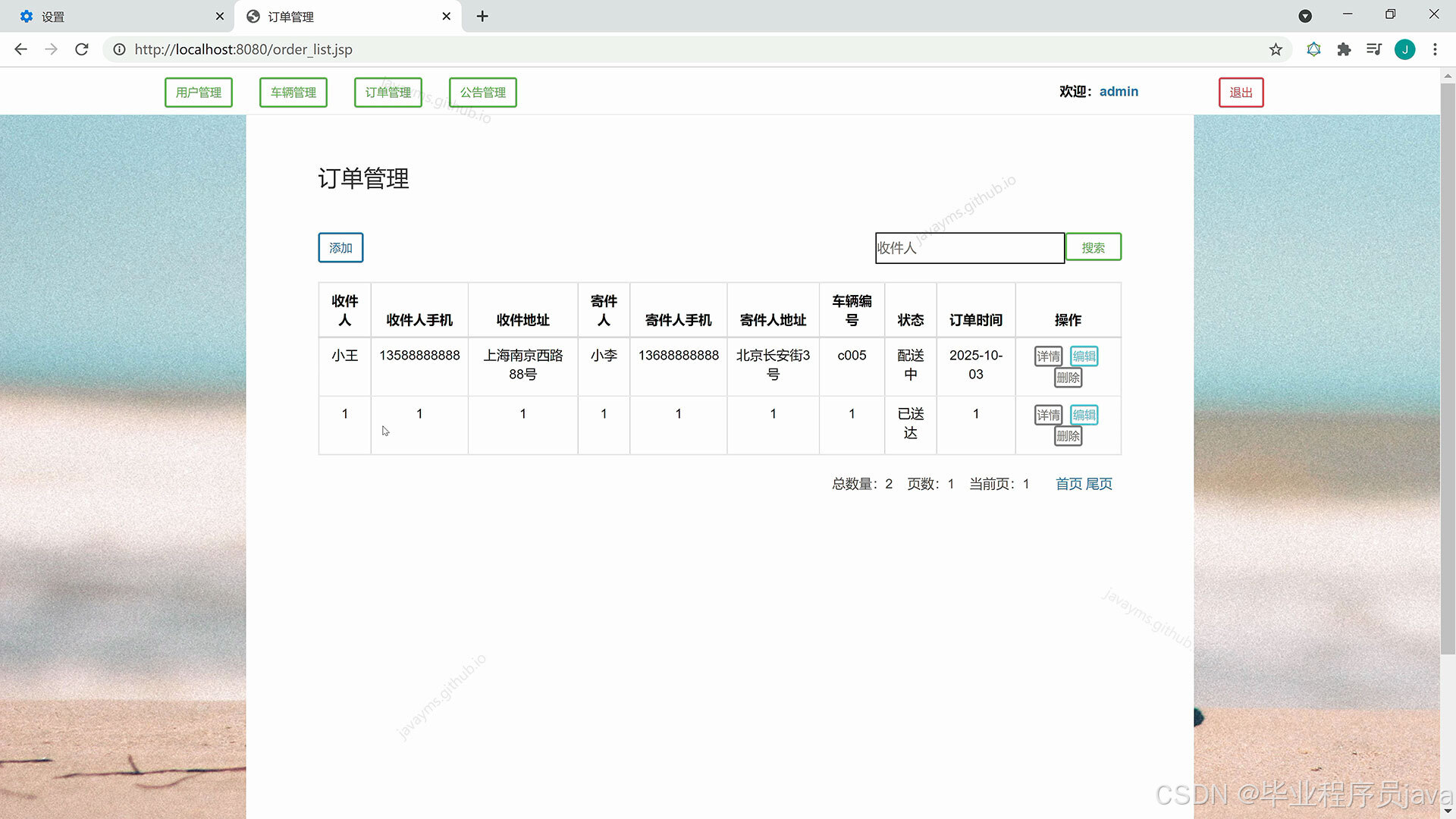
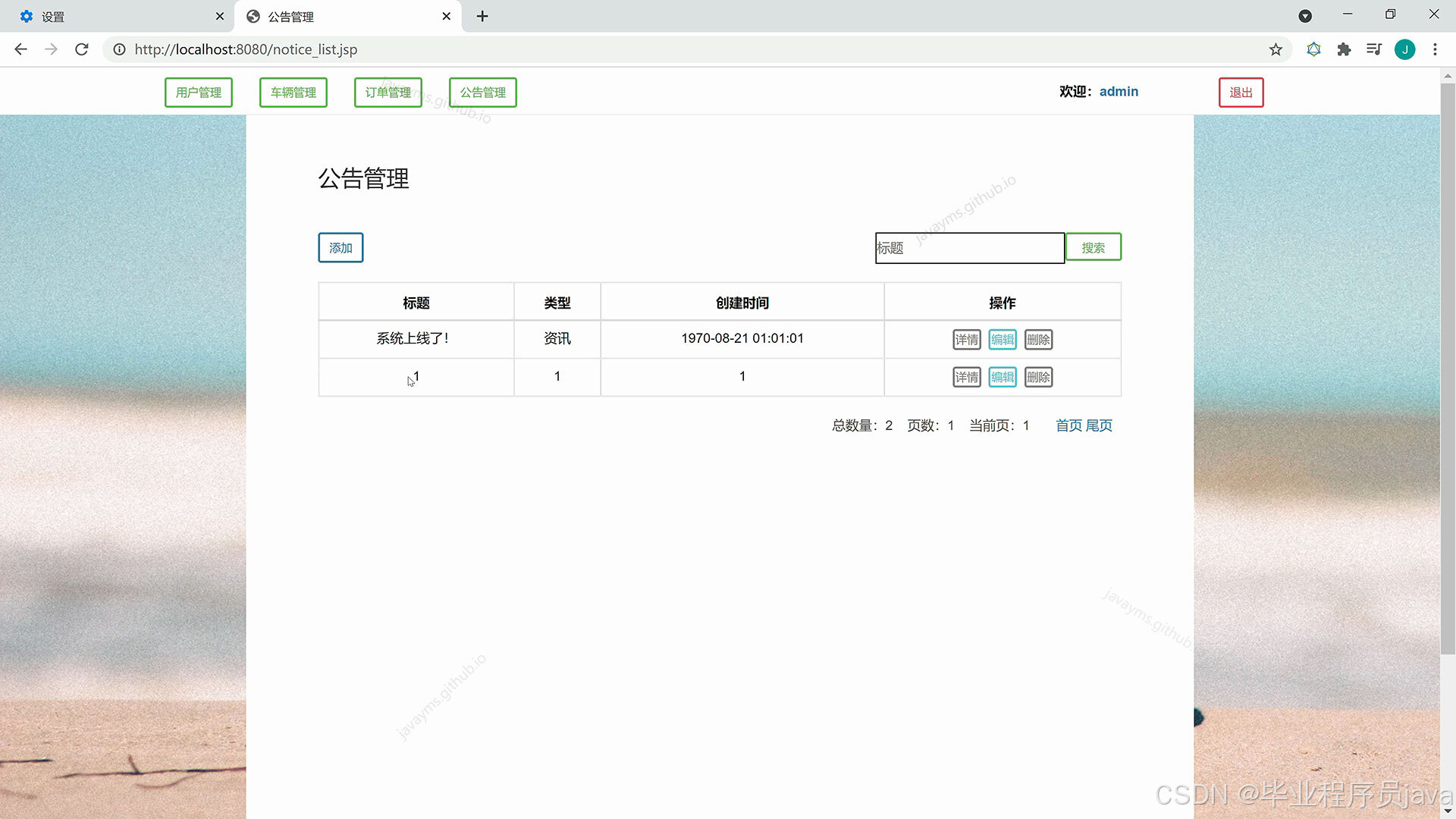
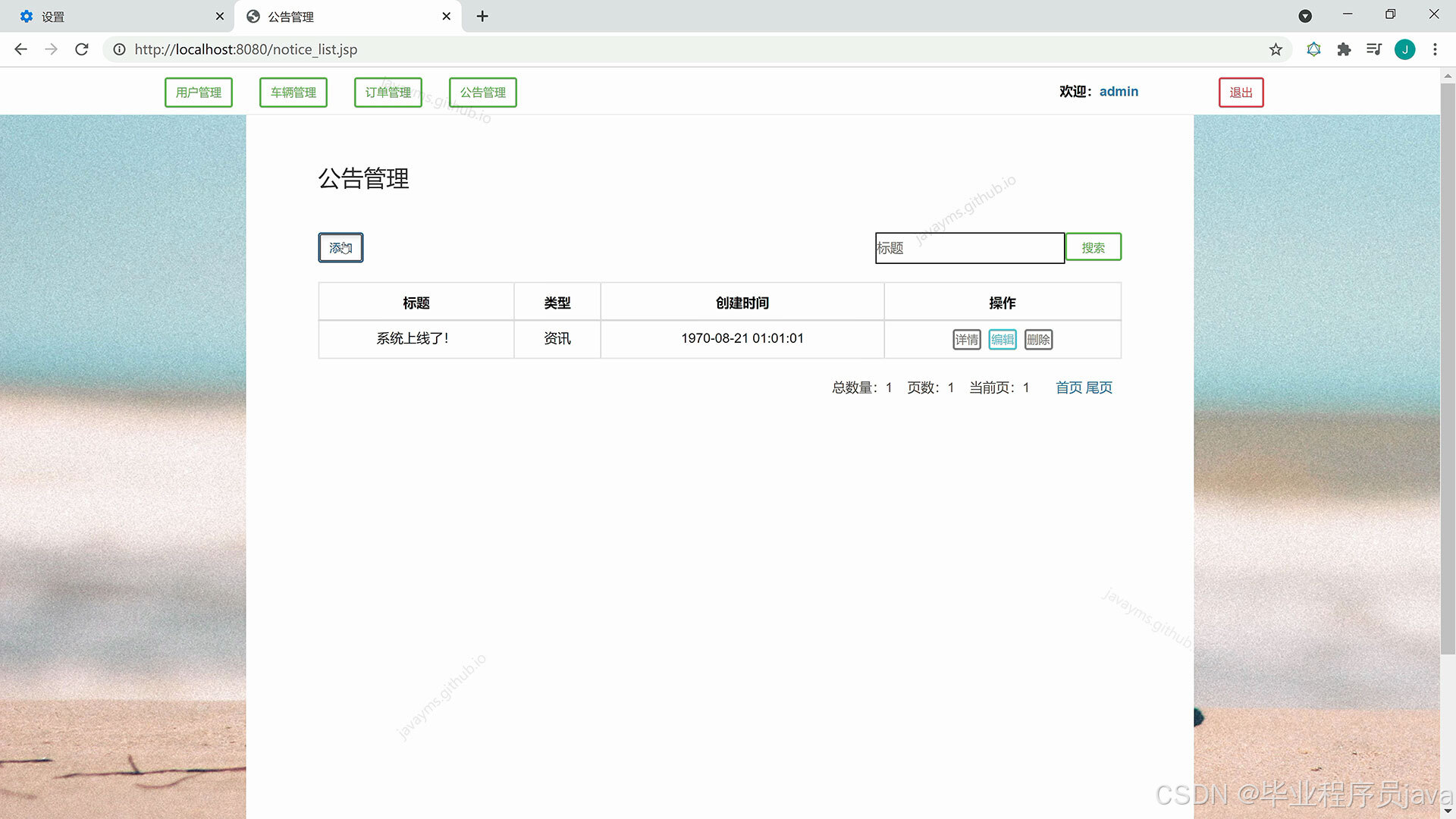
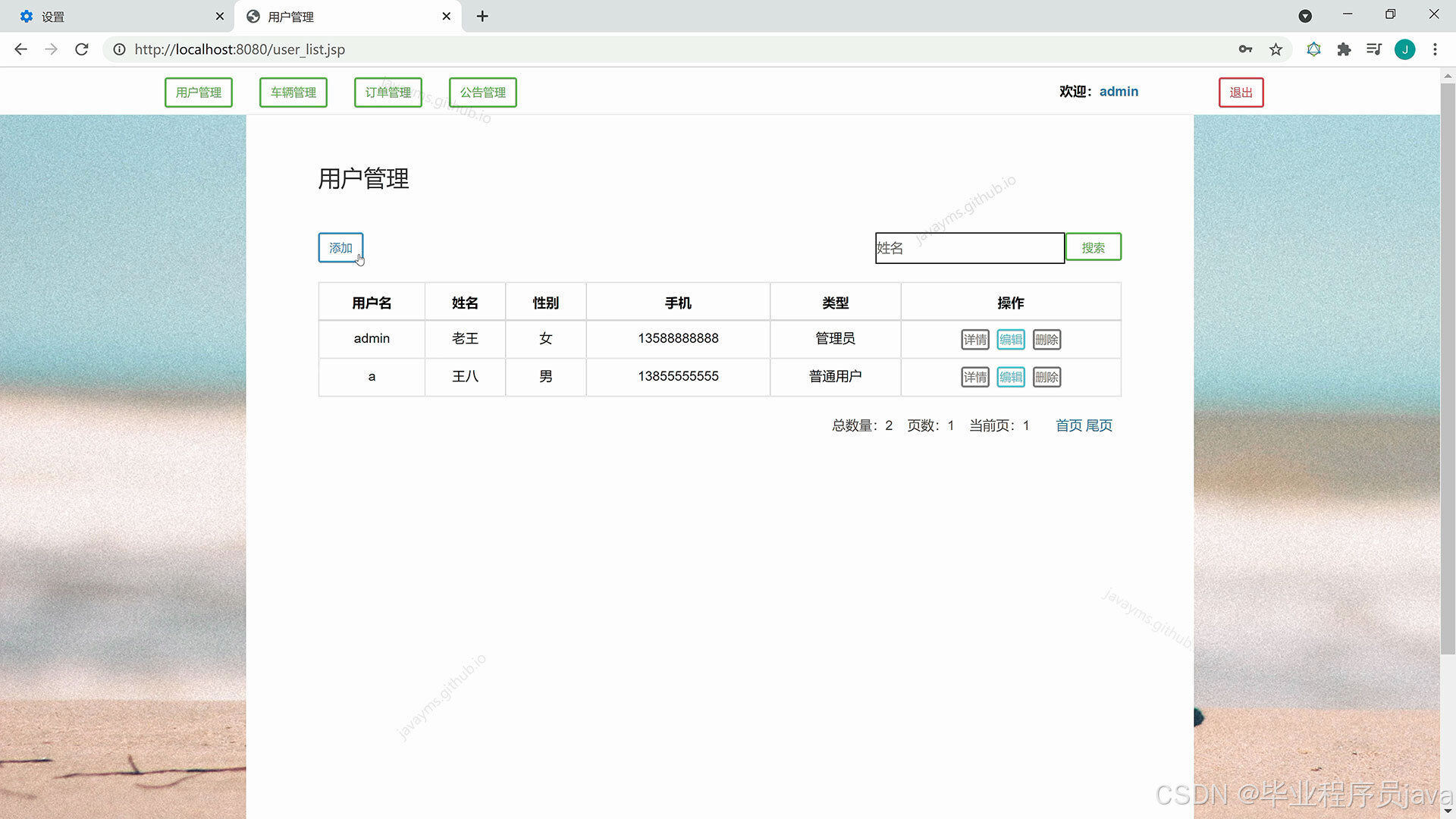
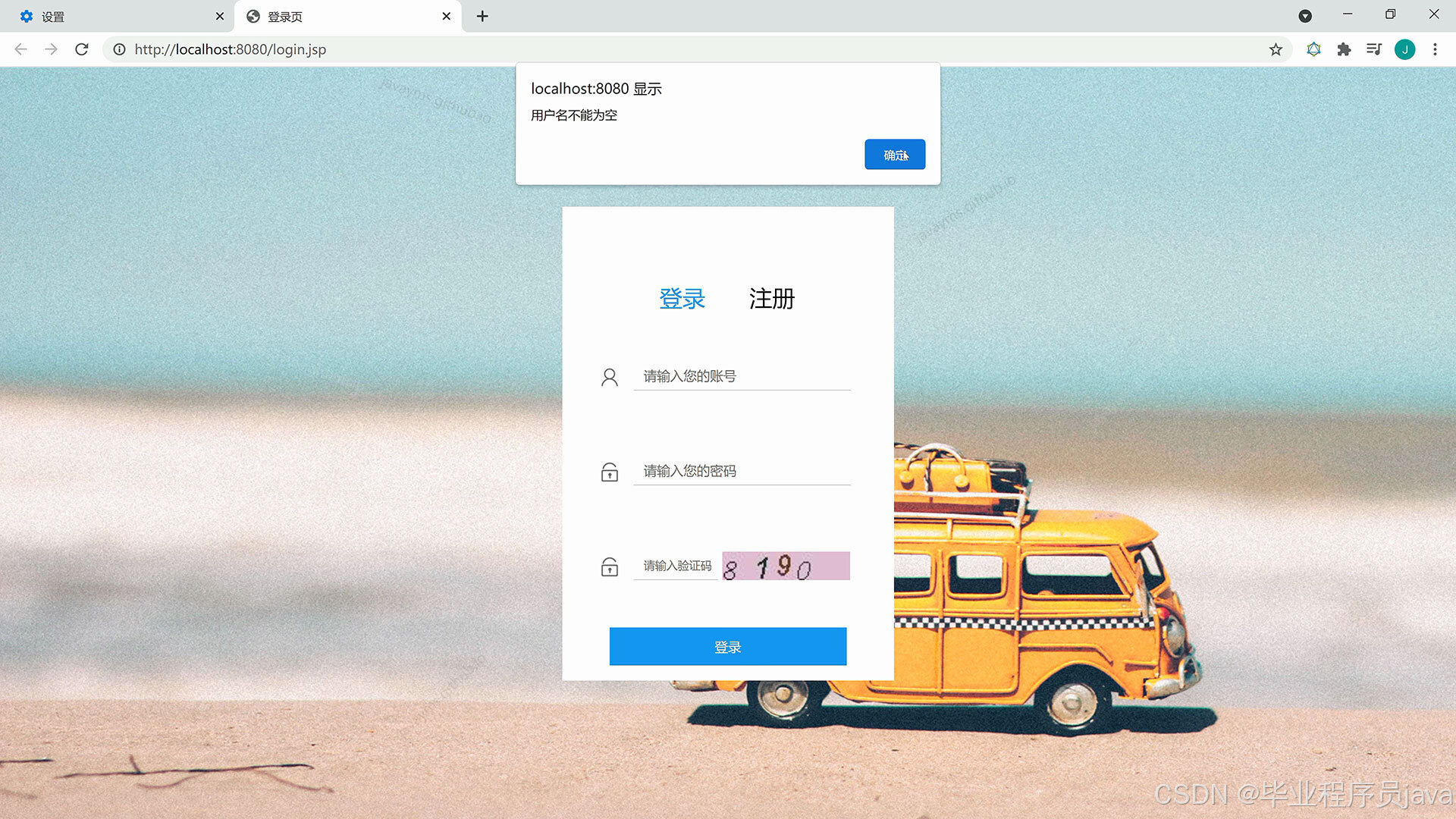
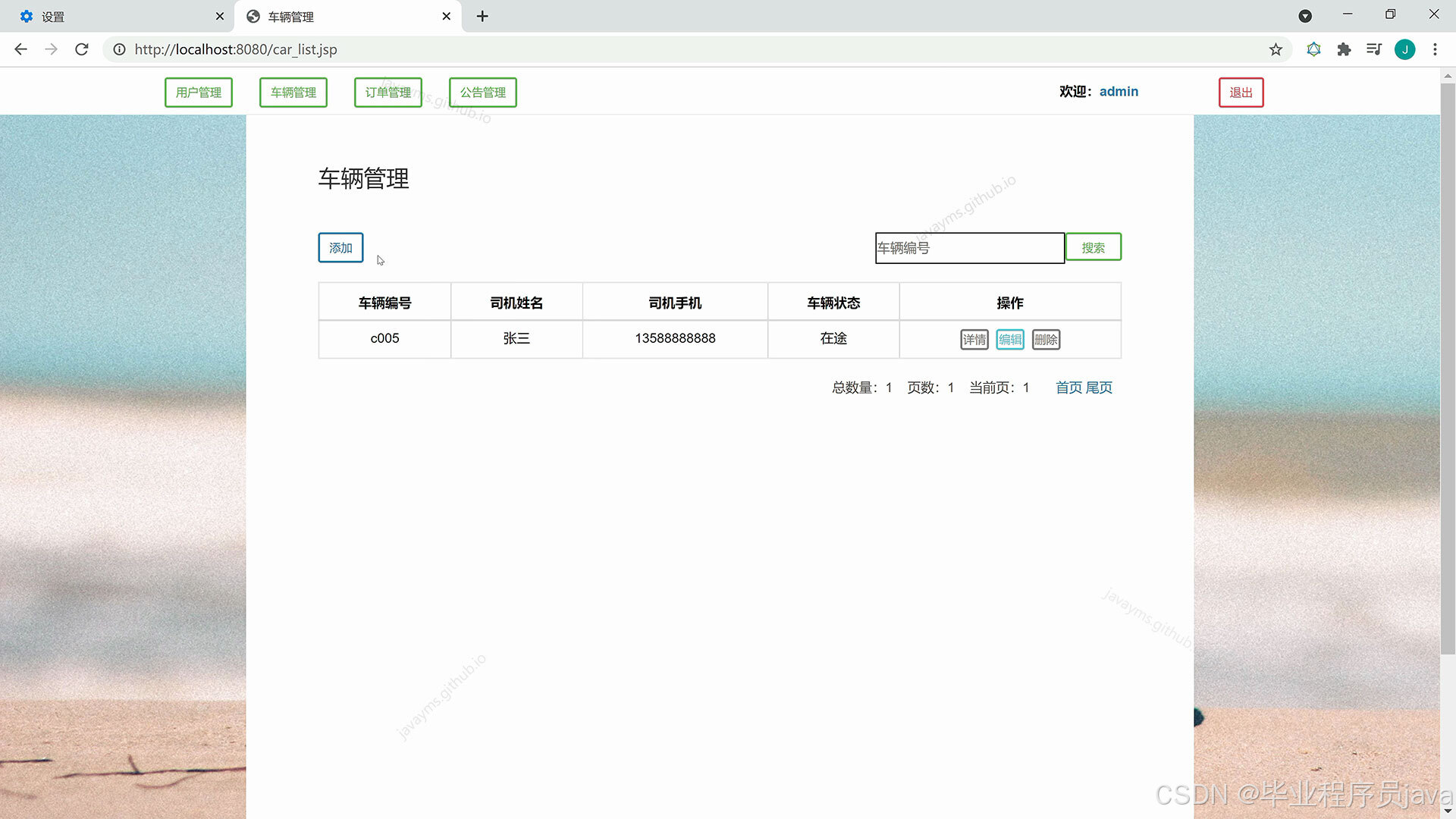
登录、注册、退出、用户模块、公告模块、订单模块、车辆模块的增删改查管理
eclipse/MyEclipse运行:
idea运行:
        Integer totalRecord = (Integer) map.get("totalCount");//根据查询条件取出对应的总记录数,用于分页
        String pageNum = request.getParameter("pageNum");//封装分页参数
        com.demo.util.PageBean<Object> pb = new com.demo.util.PageBean(Integer.valueOf(pageNum != null ? pageNum : "1"), totalRecord);
        params.put("startIndex", pb.getStartIndex());
        params.put("pageSize", pb.getPageSize());
        List list = (List) carService.list(params).get("list");//根据分页参数startIndex、pageSize查询出来的最终结果list
        pb.setServlet("carList");
        pb.setSearchColumn(searchColumn);
        pb.setKeyword(keyword);
        pb.setList(list);
        request.getSession().setAttribute("pageBean", pb);
        request.getSession().setAttribute("list", pb.getList());

        response.sendRedirect("car_list.jsp");
    }
}

@Controller
@RequestMapping
public class NoticeController {

    @Autowired
    private NoticeService noticeService;

    /**
     * 增加公告
     *
     * @param response
     * @param request
     * @throws IOException
    /**
     * 获取用户的详细信息(详情页面与编辑页面要显示该用户的详情)并跳转回页面
     *
     * @param response
     * @param request
     * @throws IOException
     */
    @RequestMapping({"userGet", "userEditPre"})
    public void get(HttpServletResponse response, HttpServletRequest request) throws IOException {
        Serializable id = request.getParameter("id");//取出主键id
        User vo = userService.get(id);
        request.getSession().setAttribute("vo", vo);
        String to = request.getRequestURI().toLowerCase().contains("get") ? "info" : "edit";//判断是去详情显示页面还是编辑页面
        response.sendRedirect("user_" + to + ".jsp");
    }

    /**
     * 根据条件查询用户的列表并跳转回页面
     *
     * @param response
     * @param request
     * @throws IOException
     */
    @RequestMapping("userList")
    public void list(HttpServletResponse response, HttpServletRequest request) throws IOException {
        this.redirectList(request, response);
    }

    /**
     * 跳转到列表页面
     *
     * @param request
     * @param response
     */
    private void redirectList(HttpServletRequest request, HttpServletResponse response) throws IOException {
        //查询列和关键字
        String searchColumn = request.getParameter("searchColumn");
        String keyword = request.getParameter("keyword");
        Map<String, Object> params = new HashMap();//用来保存控制层传进来的参数(查询条件)
@Controller
@RequestMapping
public class CarController {

    @Autowired
    private CarService carService;

    /**
     * 增加车辆
     *
     * @param response
     * @param request
     * @throws IOException
     */
    @RequestMapping("carAdd")
    public void add(Car vo, HttpServletResponse response, HttpServletRequest request) throws IOException {
        vo.setCreateBy(((com.demo.vo.User) request.getSession().getAttribute("loginUser")).getId());
        //调用Service层的增加(insert)方法
        carService.insert(vo);
        this.redirectList(request, response);
    }

    /**
     * 删除车辆
     *
     * @param response
     * @param request
     * @throws IOException
     */
    @RequestMapping("carDelete")
    public void delete(HttpServletResponse response, HttpServletRequest request) throws IOException {
        Serializable id = request.getParameter("id");
        carService.delete(Arrays.asList(id));
        this.redirectList(request, response);
    }

    /**
     * 编辑车辆
     *
     * @param response
     * @param request
     * @throws IOException
     */
    }

    /**
     * 根据条件查询订单的列表并跳转回页面
     *
     * @param response
     * @param request
     * @throws IOException
     */
    @RequestMapping("orderList")
    public void list(HttpServletResponse response, HttpServletRequest request) throws IOException {
        this.redirectList(request, response);
    }

    /**
     * 跳转到列表页面
     *
     * @param request
     * @param response
     */
    private void redirectList(HttpServletRequest request, HttpServletResponse response) throws IOException {
        //查询列和关键字
        String searchColumn = request.getParameter("searchColumn");
        String keyword = request.getParameter("keyword");
        Map<String, Object> params = new HashMap();//用来保存控制层传进来的参数(查询条件)
        params.put("searchColumn", searchColumn);//要查询的列
        params.put("keyword", keyword/*keyword != null ? new String(keyword.getBytes("ISO-8859-1"), "UTF-8") : null*/);//查询的关键字
        //User loginUser = (User) request.getSession().getAttribute("loginUser");
        //if (!"管理员".equals(loginUser.getUserType())) {
        //    params.put("createBy", loginUser.getId());
        //}
        Map<String, Object> map = orderService.list(params);
        request.getSession().setAttribute("list", map.get("list"));

        Integer totalRecord = (Integer) map.get("totalCount");//根据查询条件取出对应的总记录数,用于分页
        String pageNum = request.getParameter("pageNum");//封装分页参数
        com.demo.util.PageBean<Object> pb = new com.demo.util.PageBean(Integer.valueOf(pageNum != null ? pageNum : "1"), totalRecord);
        params.put("startIndex", pb.getStartIndex());
        params.put("pageSize", pb.getPageSize());
        List list = (List) orderService.list(params).get("list");//根据分页参数startIndex、pageSize查询出来的最终结果list
        pb.setServlet("orderList");
        pb.setSearchColumn(searchColumn);
        pb.setKeyword(keyword);
        pb.setList(list);
        request.getSession().setAttribute("pageBean", pb);
        request.getSession().setAttribute("list", pb.getList());

        response.sendRedirect("order_list.jsp");
    }
}
        User loginUser = (User) request.getSession().getAttribute("loginUser");
        if (!"管理员".equals(loginUser.getUserType())) {
            params.put("id", loginUser.getId());
        }
        Map<String, Object> map = userService.list(params);
        request.getSession().setAttribute("list", map.get("list"));

        Integer totalRecord = (Integer) map.get("totalCount");//根据查询条件取出对应的总记录数,用于分页
        String pageNum = request.getParameter("pageNum");//封装分页参数
        com.demo.util.PageBean<Object> pb = new com.demo.util.PageBean(Integer.valueOf(pageNum != null ? pageNum : "1"), totalRecord);
        params.put("startIndex", pb.getStartIndex());
        params.put("pageSize", pb.getPageSize());
        List list = (List) userService.list(params).get("list");//根据分页参数startIndex、pageSize查询出来的最终结果list
        pb.setServlet("userList");
        pb.setSearchColumn(searchColumn);
        pb.setKeyword(keyword);
        pb.setList(list);
        request.getSession().setAttribute("pageBean", pb);
        request.getSession().setAttribute("list", pb.getList());

        response.sendRedirect("user_list.jsp");
    }
}
        String[] fontNames = {"Times New Roman", "Book antiqua", "Arial"};
        for (int i = 0; i < 4; i++) {
            //  随机设置当前验证码的字符的字体
            g.setFont(new Font(fontNames[random.nextInt(3)], Font.ITALIC, height));
            //  随机获得当前验证码的字符
            char codeChar = codeChars.charAt(random.nextInt(charsLength));
            validationCode.append(codeChar);
            //  随机设置当前验证码字符的颜色
            g.setColor(getRandomColor(10, 100));
            //  在图形上输出验证码字符,x和y都是随机生成的
            g.drawString(String.valueOf(codeChar), 16 * i + random.nextInt(7), height - random.nextInt(6));
        }
        HttpSession session = request.getSession();
        session.setMaxInactiveInterval(5 * 60);
        //  将验证码保存在session对象中,key为validation_code
        session.setAttribute("validationCode", validationCode.toString());
        g.dispose();//  关闭Graphics对象
        OutputStream os = response.getOutputStream();
        ImageIO.write(image, "JPEG", os);// 以JPEG格式向客户端发送图形验证码
    }

    @RequestMapping("authResetPassword")
    public void resetPassword(HttpServletResponse response, HttpServletRequest request) throws IOException, ServletException {
        String msg;
        User loginUser = (User) request.getSession().getAttribute("loginUser");
        String oldPassword = request.getParameter("oldPassword");
        if (!loginUser.getPassword().equals(oldPassword)) {
            msg = "原密码错误!";
        } else {
            String newPassword = request.getParameter("newPassword");
            loginUser.setPassword(newPassword);
            this.userService.update(loginUser);
            msg = "修改成功!";
        }
        request.getSession().setAttribute("alert_msg", msg);
        request.getRequestDispatcher("reset_password.jsp").forward(request, response);
    }

    // 返回一个随机颜色(Color对象)
    private Color getRandomColor(int minColor, int maxColor) {
        Random random = new Random();
@Controller
@RequestMapping
public class OrderController {

    @Autowired
    private OrderService orderService;

    /**
     * 增加订单
     *
     * @param response
     * @param request
     * @throws IOException
     */
    @RequestMapping("orderAdd")
    public void add(Order vo, HttpServletResponse response, HttpServletRequest request) throws IOException {
        vo.setCreateBy(((com.demo.vo.User) request.getSession().getAttribute("loginUser")).getId());
        //调用Service层的增加(insert)方法
        orderService.insert(vo);
        this.redirectList(request, response);
    }

    /**
     * 删除订单
     *
     * @param response
     * @param request
     * @throws IOException
     */
    @RequestMapping("orderDelete")
    public void delete(HttpServletResponse response, HttpServletRequest request) throws IOException {
        Serializable id = request.getParameter("id");
        orderService.delete(Arrays.asList(id));
        this.redirectList(request, response);
    }

    /**
     * 编辑订单
     *
     * @param response
     * @param request
     * @throws IOException
     */
    @RequestMapping("orderEdit")
    public void edit(Order vo, HttpServletResponse response, HttpServletRequest request) throws IOException {
        orderService.update(vo);
        this.redirectList(request, response);
    }
@Controller
@RequestMapping
public class CarController {

    @Autowired
    private CarService carService;

    /**
     * 增加车辆
     *
     * @param response
     * @param request
     * @throws IOException
     */
    @RequestMapping("carAdd")
    public void add(Car vo, HttpServletResponse response, HttpServletRequest request) throws IOException {
        vo.setCreateBy(((com.demo.vo.User) request.getSession().getAttribute("loginUser")).getId());
        //调用Service层的增加(insert)方法
        carService.insert(vo);
        this.redirectList(request, response);
    }

    /**
     * 删除车辆
     *
     * @param response
     * @param request
     * @throws IOException
     */
    @RequestMapping("carDelete")
    public void delete(HttpServletResponse response, HttpServletRequest request) throws IOException {
        Serializable id = request.getParameter("id");
        carService.delete(Arrays.asList(id));
        this.redirectList(request, response);
    }

    /**
     * 编辑车辆
     *
     * @param response
     * @param request
     * @throws IOException
     */
    @RequestMapping("carEdit")
    public void edit(Car vo, HttpServletResponse response, HttpServletRequest request) throws IOException {
    @RequestMapping("noticeEdit")
    public void edit(Notice vo, HttpServletResponse response, HttpServletRequest request) throws IOException {
        noticeService.update(vo);
        this.redirectList(request, response);
    }

    /**
     * 获取公告的详细信息(详情页面与编辑页面要显示该公告的详情)并跳转回页面
     *
     * @param response
     * @param request
     * @throws IOException
     */
    @RequestMapping({"noticeGet", "noticeEditPre"})
    public void get(HttpServletResponse response, HttpServletRequest request) throws IOException {
        Serializable id = request.getParameter("id");//取出主键id
        Notice vo = noticeService.get(id);
        request.getSession().setAttribute("vo", vo);
        String to = request.getRequestURI().toLowerCase().contains("get") ? "info" : "edit";//判断是去详情显示页面还是编辑页面
        response.sendRedirect("notice_" + to + ".jsp");
    }

    /**
     * 根据条件查询公告的列表并跳转回页面
     *
     * @param response
     * @param request
     * @throws IOException
     */
    @RequestMapping("noticeList")
    public void list(HttpServletResponse response, HttpServletRequest request) throws IOException {
        this.redirectList(request, response);
    }

    /**
     * 跳转到列表页面
     *
     * @param request
     * @param response
     */
    private void redirectList(HttpServletRequest request, HttpServletResponse response) throws IOException {
        //查询列和关键字
        String searchColumn = request.getParameter("searchColumn");
        String keyword = request.getParameter("keyword");
        Map<String, Object> params = new HashMap();//用来保存控制层传进来的参数(查询条件)
        params.put("searchColumn", searchColumn);//要查询的列
        params.put("keyword", keyword/*keyword != null ? new String(keyword.getBytes("ISO-8859-1"), "UTF-8") : null*/);//查询的关键字
        Map<String, Object> map = noticeService.list(params);
        request.getSession().setAttribute("list", map.get("list"));
        request.getSession().setAttribute("vo", vo);
        String to = request.getRequestURI().toLowerCase().contains("get") ? "info" : "edit";//判断是去详情显示页面还是编辑页面
        response.sendRedirect("notice_" + to + ".jsp");
    }

    /**
     * 根据条件查询公告的列表并跳转回页面
     *
     * @param response
     * @param request
     * @throws IOException
     */
    @RequestMapping("noticeList")
    public void list(HttpServletResponse response, HttpServletRequest request) throws IOException {
        this.redirectList(request, response);
    }

    /**
     * 跳转到列表页面
     *
     * @param request
     * @param response
     */
    private void redirectList(HttpServletRequest request, HttpServletResponse response) throws IOException {
        //查询列和关键字
        String searchColumn = request.getParameter("searchColumn");
        String keyword = request.getParameter("keyword");
        Map<String, Object> params = new HashMap();//用来保存控制层传进来的参数(查询条件)
        params.put("searchColumn", searchColumn);//要查询的列
        params.put("keyword", keyword/*keyword != null ? new String(keyword.getBytes("ISO-8859-1"), "UTF-8") : null*/);//查询的关键字
        Map<String, Object> map = noticeService.list(params);
        request.getSession().setAttribute("list", map.get("list"));

        Integer totalRecord = (Integer) map.get("totalCount");//根据查询条件取出对应的总记录数,用于分页
        String pageNum = request.getParameter("pageNum");//封装分页参数
        com.demo.util.PageBean<Object> pb = new com.demo.util.PageBean(Integer.valueOf(pageNum != null ? pageNum : "1"), totalRecord);
        params.put("startIndex", pb.getStartIndex());
        params.put("pageSize", pb.getPageSize());
        List list = (List) noticeService.list(params).get("list");//根据分页参数startIndex、pageSize查询出来的最终结果list
        pb.setServlet("noticeList");
        pb.setSearchColumn(searchColumn);
        pb.setKeyword(keyword);
        pb.setList(list);
        request.getSession().setAttribute("pageBean", pb);
        //调用Service层的增加(insert)方法
        orderService.insert(vo);
        this.redirectList(request, response);
    }

    /**
     * 删除订单
     *
     * @param response
     * @param request
     * @throws IOException
     */
    @RequestMapping("orderDelete")
    public void delete(HttpServletResponse response, HttpServletRequest request) throws IOException {
        Serializable id = request.getParameter("id");
        orderService.delete(Arrays.asList(id));
        this.redirectList(request, response);
    }

    /**
     * 编辑订单
     *
     * @param response
     * @param request
     * @throws IOException
     */
    @RequestMapping("orderEdit")
    public void edit(Order vo, HttpServletResponse response, HttpServletRequest request) throws IOException {
        orderService.update(vo);
        this.redirectList(request, response);
    }

    /**
     * 获取订单的详细信息(详情页面与编辑页面要显示该订单的详情)并跳转回页面
     *
     * @param response
     * @param request
     * @throws IOException
     */
    @RequestMapping({"orderGet", "orderEditPre"})
    /**
     * 删除订单
     *
     * @param response
     * @param request
     * @throws IOException
     */
    @RequestMapping("orderDelete")
    public void delete(HttpServletResponse response, HttpServletRequest request) throws IOException {
        Serializable id = request.getParameter("id");
        orderService.delete(Arrays.asList(id));
        this.redirectList(request, response);
    }

    /**
     * 编辑订单
     *
     * @param response
     * @param request
     * @throws IOException
     */
    @RequestMapping("orderEdit")
    public void edit(Order vo, HttpServletResponse response, HttpServletRequest request) throws IOException {
        orderService.update(vo);
        this.redirectList(request, response);
    }

    /**
     * 获取订单的详细信息(详情页面与编辑页面要显示该订单的详情)并跳转回页面
     *
     * @param response
     * @param request
     * @throws IOException
     */
    @RequestMapping({"orderGet", "orderEditPre"})
    public void get(HttpServletResponse response, HttpServletRequest request) throws IOException {
        Serializable id = request.getParameter("id");//取出主键id
        Order vo = orderService.get(id);
        request.getSession().setAttribute("vo", vo);
        String to = request.getRequestURI().toLowerCase().contains("get") ? "info" : "edit";//判断是去详情显示页面还是编辑页面
        response.sendRedirect("order_" + to + ".jsp");
    }

    /**
     * 根据条件查询订单的列表并跳转回页面
     *
            //  随机设置当前验证码的字符的字体
            g.setFont(new Font(fontNames[random.nextInt(3)], Font.ITALIC, height));
            //  随机获得当前验证码的字符
            char codeChar = codeChars.charAt(random.nextInt(charsLength));
            validationCode.append(codeChar);
            //  随机设置当前验证码字符的颜色
            g.setColor(getRandomColor(10, 100));
            //  在图形上输出验证码字符,x和y都是随机生成的
            g.drawString(String.valueOf(codeChar), 16 * i + random.nextInt(7), height - random.nextInt(6));
        }
        HttpSession session = request.getSession();
        session.setMaxInactiveInterval(5 * 60);
        //  将验证码保存在session对象中,key为validation_code
        session.setAttribute("validationCode", validationCode.toString());
        g.dispose();//  关闭Graphics对象
        OutputStream os = response.getOutputStream();
        ImageIO.write(image, "JPEG", os);// 以JPEG格式向客户端发送图形验证码
    }

    @RequestMapping("authResetPassword")
    public void resetPassword(HttpServletResponse response, HttpServletRequest request) throws IOException, ServletException {
        String msg;
        User loginUser = (User) request.getSession().getAttribute("loginUser");
        String oldPassword = request.getParameter("oldPassword");
        if (!loginUser.getPassword().equals(oldPassword)) {
            msg = "原密码错误!";
        } else {
            String newPassword = request.getParameter("newPassword");
            loginUser.setPassword(newPassword);
            this.userService.update(loginUser);
            msg = "修改成功!";
        }
        request.getSession().setAttribute("alert_msg", msg);
        request.getRequestDispatcher("reset_password.jsp").forward(request, response);
    }

    // 返回一个随机颜色(Color对象)
    private Color getRandomColor(int minColor, int maxColor) {
        Random random = new Random();
        // 保存minColor最大不会超过255
    /**
     * 根据条件查询车辆的列表并跳转回页面
     *
     * @param response
     * @param request
     * @throws IOException
     */
    @RequestMapping("carList")
    public void list(HttpServletResponse response, HttpServletRequest request) throws IOException {
        this.redirectList(request, response);
    }

    /**
     * 跳转到列表页面
     *
     * @param request
     * @param response
     */
    private void redirectList(HttpServletRequest request, HttpServletResponse response) throws IOException {
        //查询列和关键字
        String searchColumn = request.getParameter("searchColumn");
        String keyword = request.getParameter("keyword");
        Map<String, Object> params = new HashMap();//用来保存控制层传进来的参数(查询条件)
        params.put("searchColumn", searchColumn);//要查询的列
        params.put("keyword", keyword/*keyword != null ? new String(keyword.getBytes("ISO-8859-1"), "UTF-8") : null*/);//查询的关键字
        //User loginUser = (User) request.getSession().getAttribute("loginUser");
        //if (!"管理员".equals(loginUser.getUserType())) {
        //    params.put("createBy", loginUser.getId());
        //}
        Map<String, Object> map = carService.list(params);
        request.getSession().setAttribute("list", map.get("list"));

        Integer totalRecord = (Integer) map.get("totalCount");//根据查询条件取出对应的总记录数,用于分页
        String pageNum = request.getParameter("pageNum");//封装分页参数
        com.demo.util.PageBean<Object> pb = new com.demo.util.PageBean(Integer.valueOf(pageNum != null ? pageNum : "1"), totalRecord);
        params.put("startIndex", pb.getStartIndex());
        params.put("pageSize", pb.getPageSize());
        List list = (List) carService.list(params).get("list");//根据分页参数startIndex、pageSize查询出来的最终结果list
        pb.setServlet("carList");
        pb.setSearchColumn(searchColumn);
        pb.setKeyword(keyword);
        pb.setList(list);
        request.getSession().setAttribute("pageBean", pb);
        request.getSession().setAttribute("list", pb.getList());

        response.sendRedirect("car_list.jsp");
    }
}
    public void delete(HttpServletResponse response, HttpServletRequest request) throws IOException {
        Serializable id = request.getParameter("id");
        noticeService.delete(Arrays.asList(id));
        this.redirectList(request, response);
    }

    /**
     * 编辑公告
     *
     * @param response
     * @param request
     * @throws IOException
     */
    @RequestMapping("noticeEdit")
    public void edit(Notice vo, HttpServletResponse response, HttpServletRequest request) throws IOException {
        noticeService.update(vo);
        this.redirectList(request, response);
    }

    /**
     * 获取公告的详细信息(详情页面与编辑页面要显示该公告的详情)并跳转回页面
     *
     * @param response
     * @param request
     * @throws IOException
     */
    @RequestMapping({"noticeGet", "noticeEditPre"})
    public void get(HttpServletResponse response, HttpServletRequest request) throws IOException {
        Serializable id = request.getParameter("id");//取出主键id
        Notice vo = noticeService.get(id);
        request.getSession().setAttribute("vo", vo);
        String to = request.getRequestURI().toLowerCase().contains("get") ? "info" : "edit";//判断是去详情显示页面还是编辑页面
        response.sendRedirect("notice_" + to + ".jsp");
    }

    /**
     * 根据条件查询公告的列表并跳转回页面
     *
     * @param response
     * @param request
     * @throws IOException
     */
    @RequestMapping("noticeList")
    public void list(HttpServletResponse response, HttpServletRequest request) throws IOException {
        this.redirectList(request, response);
    }

    /**
     * 跳转到列表页面
     * @param request
     * @throws IOException
     */
    @RequestMapping("orderEdit")
    public void edit(Order vo, HttpServletResponse response, HttpServletRequest request) throws IOException {
        orderService.update(vo);
        this.redirectList(request, response);
    }

    /**
     * 获取订单的详细信息(详情页面与编辑页面要显示该订单的详情)并跳转回页面
     *
     * @param response
     * @param request
     * @throws IOException
     */
    @RequestMapping({"orderGet", "orderEditPre"})
    public void get(HttpServletResponse response, HttpServletRequest request) throws IOException {
        Serializable id = request.getParameter("id");//取出主键id
        Order vo = orderService.get(id);
        request.getSession().setAttribute("vo", vo);
        String to = request.getRequestURI().toLowerCase().contains("get") ? "info" : "edit";//判断是去详情显示页面还是编辑页面
        response.sendRedirect("order_" + to + ".jsp");
    }

    /**
     * 根据条件查询订单的列表并跳转回页面
     *
     * @param response
     * @param request
     * @throws IOException
     */
    @RequestMapping("orderList")
    public void list(HttpServletResponse response, HttpServletRequest request) throws IOException {
        this.redirectList(request, response);
    }

    /**
     * 跳转到列表页面
     *
     * @param request
     * @param response
     */
    private void redirectList(HttpServletRequest request, HttpServletResponse response) throws IOException {
        //查询列和关键字
        String searchColumn = request.getParameter("searchColumn");
        String keyword = request.getParameter("keyword");
        Car vo = carService.get(id);
        request.getSession().setAttribute("vo", vo);
        String to = request.getRequestURI().toLowerCase().contains("get") ? "info" : "edit";//判断是去详情显示页面还是编辑页面
        response.sendRedirect("car_" + to + ".jsp");
    }

    /**
     * 根据条件查询车辆的列表并跳转回页面
     *
     * @param response
     * @param request
     * @throws IOException
     */
    @RequestMapping("carList")
    public void list(HttpServletResponse response, HttpServletRequest request) throws IOException {
        this.redirectList(request, response);
    }

    /**
     * 跳转到列表页面
     *
     * @param request
     * @param response
     */
    private void redirectList(HttpServletRequest request, HttpServletResponse response) throws IOException {
        //查询列和关键字
        String searchColumn = request.getParameter("searchColumn");
        String keyword = request.getParameter("keyword");
        Map<String, Object> params = new HashMap();//用来保存控制层传进来的参数(查询条件)
        params.put("searchColumn", searchColumn);//要查询的列
        params.put("keyword", keyword/*keyword != null ? new String(keyword.getBytes("ISO-8859-1"), "UTF-8") : null*/);//查询的关键字
        //User loginUser = (User) request.getSession().getAttribute("loginUser");
        //if (!"管理员".equals(loginUser.getUserType())) {
        //    params.put("createBy", loginUser.getId());
        //}
        Map<String, Object> map = carService.list(params);
        request.getSession().setAttribute("list", map.get("list"));

        Integer totalRecord = (Integer) map.get("totalCount");//根据查询条件取出对应的总记录数,用于分页
        String pageNum = request.getParameter("pageNum");//封装分页参数
        com.demo.util.PageBean<Object> pb = new com.demo.util.PageBean(Integer.valueOf(pageNum != null ? pageNum : "1"), totalRecord);
        params.put("startIndex", pb.getStartIndex());
        params.put("pageSize", pb.getPageSize());
        List list = (List) carService.list(params).get("list");//根据分页参数startIndex、pageSize查询出来的最终结果list
        pb.setServlet("carList");
        pb.setSearchColumn(searchColumn);
        pb.setKeyword(keyword);
        pb.setList(list);
        request.getSession().setAttribute("pageBean", pb);
        noticeService.delete(Arrays.asList(id));
        this.redirectList(request, response);
    }

    /**
     * 编辑公告
     *
     * @param response
     * @param request
     * @throws IOException
     */
    @RequestMapping("noticeEdit")
    public void edit(Notice vo, HttpServletResponse response, HttpServletRequest request) throws IOException {
        noticeService.update(vo);
        this.redirectList(request, response);
    }

    /**
     * 获取公告的详细信息(详情页面与编辑页面要显示该公告的详情)并跳转回页面
     *
     * @param response
     * @param request
     * @throws IOException
     */
    @RequestMapping({"noticeGet", "noticeEditPre"})
    public void get(HttpServletResponse response, HttpServletRequest request) throws IOException {
        Serializable id = request.getParameter("id");//取出主键id
        Notice vo = noticeService.get(id);
        request.getSession().setAttribute("vo", vo);
        String to = request.getRequestURI().toLowerCase().contains("get") ? "info" : "edit";//判断是去详情显示页面还是编辑页面
        response.sendRedirect("notice_" + to + ".jsp");
    }

    /**
     * 根据条件查询公告的列表并跳转回页面
     *
     * @param response
     * @param request
     * @throws IOException
     */
    @RequestMapping("noticeList")

电商企业物流数字化转型必备!快递鸟 API 接口,72 小时快速完成物流系统集成。全流程实战1V1指导,营造开放的API技术生态圈。
更多推荐

 4
4 0
0- 0


 已为社区贡献5条内容

所有评论(0)